



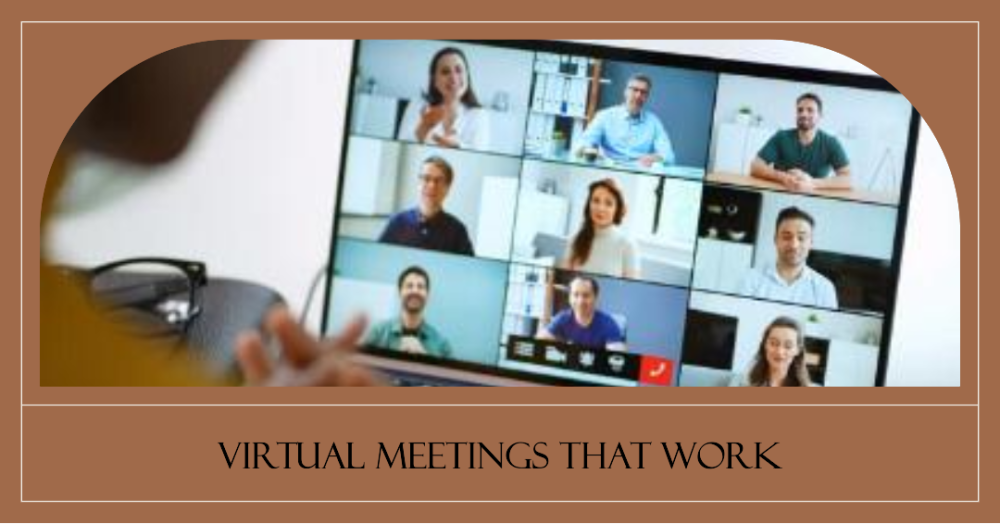
In the dynamic landscape of digital communication, mastering the art of virtual presentation has become a necessity. Whether you’re a seasoned pro or just starting, understanding the ins and outs of virtual presentations is essential. Utilizing cutting-edge AV technology and presentation software, you can elevate your online meetings and remote presentations to the next level, capturing your audience’s attention and ensuring engagement.
Virtual presentations offer a unique opportunity to connect with your audience in a digital realm, and it’s crucial to familiarize yourself with the best practices and techniques. With the right virtual presentation tools and strategies in place, you can deliver interactive and engaging virtual presentations that leave a lasting impact. From enhancing your virtual presentation skills to optimizing your digital presentation design, these elements contribute to your success. Craft impactful virtual presentations with AV technology by ensuring clear audio and visuals, interactive elements for audience engagement, and effective storytelling to deliver your message effectively in the online environment.
For business meetings, especially in the current climate, understanding the nuances of effective virtual presentation techniques is paramount. You can explore various virtual presentation software options, compare their features, and choose the one that best suits your needs. In addition to that, small businesses can leverage specialized virtual presentation tools tailored to their size and requirements. Incorporating these elements into your virtual presentation setup and delivery ensures that your audience receives immediate value, making you a standout virtual presenter.
Effective Virtual Presentation Techniques
Creating an effective virtual presentation is crucial in today’s digital landscape, where remote presenting and online meetings have become the norm. To ensure your presentation captures your audience’s attention and delivers your message effectively, follow these seven expert-recommended techniques.
Understand Your Audience
Before diving into the technical aspects of virtual presentations, it’s essential to understand your audience’s needs and preferences. Knowing your audience’s expectations and interests is the foundation of a successful presentation. Use virtual presentation audience engagement strategies to gather insights and tailor your content accordingly.
Choose the Right AV Technology
Your choice of AV technology plays a significant role in the quality of your virtual presentation. Invest in reliable AV technology that ensures clear audio and high-quality visuals. To enhance your virtual presentation, explore the latest AV technology options, such as 4K cameras, advanced microphones, and professional lighting equipment.
Utilise Presentation Software
Presentation software is a key tool in creating engaging virtual presentations. Popular virtual presentation software like Zoom, Microsoft Teams, or Google Meet offer features for interactive virtual presentations. Compare virtual presentation software to find the one that best suits your needs, taking into account factors like screen-sharing capabilities, virtual backgrounds, and integration with other meeting tools.
Implement Interactive Techniques
Engage your virtual audience by incorporating interactive virtual presentation techniques. Encourage participation through polls, Q&A sessions, and live chats. Use virtual presentation platforms that offer interactive features, allowing real-time feedback and involvement, ultimately improving virtual presentation engagement.
Optimise Your Presentation Design
Virtual presentation design is critical for maintaining audience interest. Follow best practices for designing slides, ensuring they are visually appealing and easy to read. Enhancing virtual presentation engagement involves using images, charts, and infographics strategically to convey your message effectively.
Master the Art of Delivery
Effective virtual presentation skills are essential for conveying your message with confidence. Practice your virtual presentation delivery to eliminate any technical hiccups and ensure a seamless presentation. Pay attention to your tone, body language, and pacing, as they play a significant role in keeping your audience engaged.
Engaging Virtual Presentation Ideas
To excel in the realm of virtual presentations, focus on creating engaging and interactive content, mastering your presentation skills, choosing the right tools, and fostering audience engagement. By implementing these strategies and staying updated with the latest virtual presentation technologies, you’ll be well on your way to captivating your virtual audience.
Create Interactive Virtual Presentations
Craft dynamic virtual presentations that encourage active participation through real-time polls, quizzes, and Q&A sessions. Utilize AV technology, presentation software, and virtual presentation tools like video walls to enhance engagement and foster a sense of involvement.
Embrace Unique Presentation Techniques
Distinguish your virtual presentations by incorporating innovative elements like 3D models, virtual reality (VR), and augmented reality (AR). These advanced technologies captivate your audience’s attention and keep them engaged.
Enhance Your Presentation Skills
Elevate your virtual presenting skills to become a compelling speaker. Focus on voice modulation, body language, and pacing. Implement virtual presentation best practices and techniques for a polished and impactful delivery.
Foster Audience Engagement
Prioritize audience engagement by implementing strategies that build a sense of community during your virtual presentation. Encourage feedback, questions, and discussions using online meeting tools to keep your audience actively involved.
Optimise AV Technology
Ensure your AV technology, including camera, microphone, and lighting, is of the highest quality to deliver a seamless virtual presentation. Utilize AV technology to enhance your presentation with multimedia elements and ensure a smooth experience.
Design with Purpose
Implement virtual presentation design best practices to create visually appealing slides and layouts. Use captivating visuals, keep text concise, and focus on the aesthetics of your presentation to make it enjoyable for your virtual audience.
Improving Virtual Presentation Skills
In an increasingly digital world, the ability to deliver compelling virtual presentations has become an essential skill. Whether you’re addressing a remote team, conducting online meetings, or delivering webinars, mastering the art of virtual presentation is crucial for making a lasting impact and achieving your communication goals. This introductory topic explores the key strategies and techniques for improving virtual presentation skills, helping individuals and organizations adapt to the demands of the modern digital landscape and engaging their audience with confidence and proficiency.
Engaging Opening
Begin your virtual presentations with a compelling and engaging opening. Grab your audience’s attention from the very start. This could be a powerful anecdote, a thought-provoking question, or a surprising fact. Your opening should set the tone for the rest of the presentation and create a sense of anticipation.
Clarity and Conciseness
As a team leader, it’s crucial to communicate your ideas clearly and concisely. Avoid jargon and overly technical language. Use straightforward language to ensure that your audience understands the message. In a virtual presentation, where distractions can easily arise, keeping your content concise helps maintain audience engagement.
Visual Appeal
Visual aids can significantly enhance your virtual presentations. Utilize well-designed slides, images, charts, and graphs to illustrate your points. Visuals make complex information more digestible and add an element of professionalism to your presentation. Ensure that your visuals are relevant and not overwhelming.
Interactive Engagement
Virtual presentations can sometimes feel one-sided, but you can counteract this by incorporating interactive elements. Encourage audience participation through polls, Q&A sessions, or interactive exercises. These moments of engagement break the monotony and make your presentation more dynamic and memorable.
Adapting to Virtual Platforms
Familiarize yourself with the virtual presentation platform you’re using. Understand its features, such as screen sharing, chat, and interactive tools. Be prepared to troubleshoot technical issues that may arise. The ability to navigate the virtual environment with ease shows your professionalism and boosts your credibility.
Audience-Centric Approach
Always keep your audience in mind. Understand their needs, expectations, and pain points. Tailor your content to address their concerns and provide solutions. Show empathy and connect with your audience emotionally, as this can foster a more significant impact and engagement.
Practice and Rehearsal
Practice makes perfect. Before your virtual presentation, rehearse your content multiple times. This not only helps you become more comfortable with the material but also allows you to refine your delivery. Consider conducting practice sessions with a small group to gather feedback and fine-tune your presentation.
Virtual Presentation for Business Meetings
Embracing virtual presentations for business meetings offers a multitude of benefits, including enhanced audience engagement, global reach, cost-efficiency, flexible scheduling, data-driven insights, environmental sustainability, and improved presentation skills. By integrating virtual presentation best practices and utilizing virtual presentation tools and techniques, your business can thrive in the digital age.
Enhanced Audience Engagement
Virtual presentations offer a range of interactive features that foster active participation from your audience. These features can include live polls, surveys, and real-time Q&A sessions. With the help of these tools, presenters can gauge the audience’s understanding, preferences, and opinions in real time. This not only keeps attendees engaged but also creates a sense of involvement and interactivity that can be challenging to achieve in traditional in-person meetings. Audience engagement is crucial for maintaining interest and ensuring that your message is well-received.
Global Reach
Virtual presentations have the unique ability to transcend geographical boundaries. They allow you to connect with individuals or groups from around the world without the need for physical presence. This is especially valuable for businesses seeking to expand their reach internationally. You can conduct meetings, seminars, and conferences with participants from different countries, opening doors to global partnerships and collaborations. The global reach of virtual presentations is a powerful asset in our interconnected world.
Cost-Efficiency
Hosting virtual presentations is cost-effective compared to organizing physical meetings. By going virtual, you eliminate expenses related to booking venues, travel, and accommodation for attendees. Virtual presentation tools also come in various price ranges, making them accessible to businesses of all sizes, including small businesses. The cost-efficiency of virtual presentations can significantly impact your budget, allowing you to allocate resources to other areas of your business.
Flexible Scheduling
Virtual presentations provide the flexibility to schedule meetings at times that accommodate all participants, regardless of their time zones. This flexibility is especially important in the context of global or remote teams. It ensures that everyone can attend meetings without having to adjust their work hours or travel long distances. The ability to schedule meetings at convenient times enhances attendance rates and facilitates effective collaboration.
Data-Driven Insights
Many virtual presentation software platforms come equipped with analytics tools that provide valuable insights into your audience’s behaviour. These tools offer data on aspects like audience engagement, participation, and feedback. By analyzing this data, you can gain a deeper understanding of how your audience responds to your presentations. This information can guide you in refining your presentation techniques and content to better meet your audience’s needs, ultimately enhancing the effectiveness of your virtual presentations.
Environmental Sustainability
In a world increasingly focused on sustainability, virtual presentations contribute to environmental conservation. By reducing the need for physical travel, you help lower your carbon footprint. Additionally, virtual presentations significantly reduce paper usage, as most materials are distributed digitally. These eco-friendly practices demonstrate your commitment to environmental sustainability and can enhance your brand’s reputation.
Improved Presentation Skills
Mastering virtual presentations involves acquiring unique skills in areas such as virtual presentation design and setup. These skills not only enhance your ability to deliver engaging virtual presentations but also translate into improved in-person presentation skills. For example, a strong understanding of virtual presentation technology can make you more effective in delivering traditional presentations. By developing proficiency in these areas, you become a more versatile and skilled communicator, capable of engaging audiences both virtually and in person.
Virtual Presentation Tools and Software
In the age of digital communication, virtual presentations have become a fundamental part of our professional lives. Whether you’re conducting online meetings, remote presenting, or hosting virtual events, having the right presentation software and tools can make a significant difference in audience engagement and the overall success of your virtual presentation. In this section, we’ll explore seven of the best virtual presentation tools and software designed to enhance your virtual presentation skills and boost audience interaction.
Zoom
Zoom is a versatile virtual presentation tool that has gained immense popularity for online meetings and virtual events. With a user-friendly interface, Zoom offers features like screen sharing, chat, and breakout rooms, making it an excellent choice for hosting engaging virtual presentations. It provides a platform for seamless digital communication and allows presenters to interact with their audience in real-time. Zoom’s wide adoption and reliability have made it a go-to tool for remote presenting.
Microsoft Teams
Microsoft Teams is a part of the Microsoft 365 suite and is designed for seamless collaboration and virtual presentations. It integrates with various Microsoft apps, providing a comprehensive platform for online meetings and presentations. Users can leverage features like file sharing, video conferencing, and interactive virtual presentations. Microsoft Teams is especially suitable for businesses looking to enhance their virtual presentation skills and boost digital communication within their teams.
Cisco Webex
Cisco Webex is a top choice for those seeking robust AV technology and online presentation capabilities. It’s known for its exceptional video and audio quality, making it an ideal tool for virtual presentations. Webex offers advanced features like live polling and whiteboarding, promoting audience engagement and interactivity during virtual events. If you’re looking for a high-quality virtual presentation solution, Cisco Webex should be on your list.
Google Meet
Google Meet is a virtual meeting tool that seamlessly integrates with Google Workspace, making it a convenient choice for those already using Google’s suite of productivity tools. Google Meet is designed for simple yet effective online presentations and remote presentations. It offers features like screen sharing, real-time collaboration on documents, and audience engagement through the chat feature. This tool is perfect for those who prefer a familiar and user-friendly interface.
Prezi
Prezi is an interactive virtual presentation software known for its unique approach to presentations. Unlike traditional slide-based tools, Prezi enables presenters to create dynamic, non-linear presentations that captivate the audience. It’s an excellent choice for individuals and businesses looking to enhance their virtual presentation design and engagement techniques. With Prezi, you can break away from static slides and deliver memorable virtual presentations.
Canva
Canva is a versatile design tool that can be used to create visually appealing virtual presentations. While not a dedicated virtual presentation platform, Canva offers a wide range of templates and design elements that can elevate your virtual presentation design. With Canva, you can ensure that your slides are visually appealing, enhancing audience engagement and overall presentation impact.
Mentimeter
Mentimeter is an interactive presentation software designed to increase audience interaction during virtual presentations. It allows presenters to create live polls, quizzes, and Q&A sessions that keep the audience engaged and attentive. Mentimeter is an excellent choice for those seeking to master the art of virtual presentation delivery by fostering real-time communication with their audience.
Conclusion
Virtual presentations offer a dynamic platform for fostering audience engagement. With a wide array of digital communication tools at your disposal, you can seamlessly connect with your audience, making your message more impactful than ever before. These digital presentations are not just about sharing information; they are an opportunity to showcase your presentation skills and leverage the right meeting tools to deliver a powerful message.
For anyone looking to excel in the realm of virtual events, embracing virtual presentation techniques and best practices is paramount. Interactive virtual presentations have taken the stage, offering innovative ways to captivate your virtual audience. By implementing virtual presentation tools, techniques, and platforms that align with your objectives, you can transform your virtual presentation into a compelling and memorable experience.
In today’s fast-paced business world, effective virtual presentation skills are the key to success. Whether you’re aiming to improve your virtual presentation for business meetings or explore the right digital presentation software for beginners, the choices are abundant. By making informed decisions about virtual presentation equipment setup and design best practices, you can enhance engagement, elevate your remote presenting game, and ultimately, leave a lasting impact on your audience.
FAQs
How can I give a successful virtual presentation?
To give a successful virtual presentation, follow these tips:
- Prepare thoroughly: Plan your content and practice your delivery.
- Engage your audience: Use visuals, stories, and interactive elements.
- Choose the right tech: Ensure a stable internet connection and test your equipment.
- Create a distraction-free environment: Minimize background noise and clutter.
- Maintain eye contact: Look into the camera to connect with your audience.
- Manage your time: Stick to your schedule and respect your audience’s time.
- Interact with your audience: Encourage questions and discussions.
- Use a clear structure: Organize your content logically.
- Practice, practice, practice: Rehearse to build confidence and fluency.
- Record for later viewing: Share the recording for those who couldn’t attend live.
What are the key tips for engaging virtual presentations?
Engaging virtual presentations require:
- Visual aids: Use compelling visuals and slides.
- Interaction: Polls, Q&A, and discussions to involve the audience.
- Storytelling: Relatable stories grab attention.
- Enthusiasm: Be energetic to maintain interest.
- Audience-centric: Address their needs and concerns.
- Breaks: Include short breaks for mental relief.
- Varied content: Mix up formats and delivery styles.
- Practice: Rehearse to ensure smooth delivery.
- Clear communication: Speak clearly and concisely.
- Connection: Engage with the audience through eye contact and personalized messages.
Which virtual presentation software is the best?
The best virtual presentation software depends on your specific needs. Popular options include:
- Zoom: For video conferencing and screen sharing.
- Microsoft PowerPoint: For creating and delivering presentations.
- Google Slides: Collaborative, cloud-based presentation software.
- Prezi: Offers unique, non-linear presentation styles.
- Adobe Connect: Great for interactive webinars and training.
- Cisco Webex: For secure virtual meetings.
- Mentimeter: Engaging audience interaction through polls and quizzes.
- Canva: Ideal for creating visually appealing slides.
- Google Meet: Integrated with Google Workspace.
- Zoho Show: A cloud-based presentation tool with collaboration features.
Choose the one that aligns with your presentation requirements.
Can you recommend online tools for virtual presentations?
Certainly, here are some online tools for virtual presentations:
- Mentimeter: For interactive polls, quizzes, and surveys.
- Slido: Audience engagement through polls and Q&A.
- Kahoot!: Gamify your presentation with quizzes.
- Canva: Design visually appealing slides and graphics.
- Loom: Record and share video presentations.
- Google Slides: Collaborative cloud-based presentation software.
- Powtoon: Create animated presentations.
- Prezi: Offers dynamic, non-linear presentations.
- Zoho Show: A cloud-based presentation tool with collaboration features.
- Microsoft Sway: Create interactive, web-based presentations.
These tools can enhance the quality and engagement of your virtual presentations.
What are some ideas for engaging a virtual audience?
Engage your virtual audience with these ideas:
- Interactive polls and quizzes.
- Q&A sessions.
- Live chat for discussions.
- Breakout rooms for group activities.
- Virtual hand raising for questions.
- Share relatable stories and examples.
- Use humor and anecdotes.
- Show enthusiasm and passion.
- Visual aids and dynamic slides.
- Personalize content for the audience’s interests.
Creating a participatory and dynamic experience will captivate your virtual audience.
What are the best practices for remote presenting?
Best practices for remote presenting include:
- Prepare and rehearse thoroughly.
- Ensure a quiet, well-lit environment.
- Use a stable internet connection.
- Maintain eye contact with the camera.
- Engage the audience with interactive elements.
- Manage time effectively.
- Adapt to your audience’s needs.
- Record presentations for later viewing.
- Seek feedback for improvement.
- Stay updated on virtual presentation tools and techniques.
These practices will help you deliver effective remote presentations.
How do I design a digital presentation effectively?
To design a digital presentation effectively:
- Define clear objectives and a structured outline.
- Use visually appealing, uncluttered slides.
- Stick to a consistent design theme.
- Employ bullet points, images, and charts.
- Limit text, emphasizing key points.
- Tell a compelling story.
- Use transitions and animations sparingly.
- Practice your delivery with the slides.
- Solicit feedback and refine as needed.
- Ensure compatibility with your chosen presentation software.
Designing a visually engaging and well-organized presentation is key to success.
What AV technology should I use for virtual presentations?
For virtual presentations, use AV technology like:
- High-quality microphone for clear audio.
- HD webcam for sharp video.
- Strong internet connection for stability.
- Good lighting for a well-lit environment.
- Headphones to reduce background noise.
- Screen sharing and presentation software.
- Virtual whiteboards for illustrations.
- External monitor for multitasking.
- Green screen for custom backgrounds.
- Webcasting software for broadcasting to larger audiences.
Choose technology that ensures a professional and glitch-free presentation.
Do you have a guide for virtual event planning?
Yes, here’s a guide for virtual event planning:
- Define objectives and target audience.
- Choose a suitable platform and date.
- Create a detailed event agenda.
- Set up registration and ticketing.
- Promote the event through multiple channels.
- Prepare engaging content and speakers.
- Test technology and equipment.
- Incorporate interactive elements.
- Have a backup plan for technical issues.
- Follow up with attendees for feedback and future events.
Effective planning is essential for hosting a successful virtual event.
How can I improve my virtual presentation skills?
To improve virtual presentation skills:
- Practice regularly in a virtual environment.
- Record and review your presentations.
- Seek feedback from peers or mentors.
- Join online public speaking groups.
- Study and emulate skilled virtual presenters.
- Develop engaging content.
- Work on body language and vocal delivery.
- Learn to handle technical issues confidently.
- Practice with various presentation software.
- Stay updated on virtual presentation trends and tools.
Consistent practice and self-improvement are key to enhancing your virtual presentation skills.
What strategies can enhance virtual audience engagement?
Enhance virtual audience engagement with these strategies:
- Interactive polls and quizzes.
- Live Q&A sessions.
- Breakout rooms for discussions.
- Gamification elements.
- Visual storytelling.
- Personalized content.
- Varied content formats (videos, slides, demos).
- Encourage audience participation.
- Address audience questions and comments.
- Keep presentations concise and focused.
Engaging your audience actively will make your virtual presentations more captivating.
Which interactive presentation software is suitable for virtual meetings?
Interactive presentation software suitable for virtual meetings includes:
- Mentimeter: For real-time polls and surveys.
- Slido: Audience engagement with polls and Q&A.
- Kahoot!: Gamify your presentations with quizzes.
- Prezi: Dynamic, non-linear presentations.
- Canva: Create visually appealing slides.
- Microsoft Sway: Interactive web-based presentations.
- Zoho Show: Cloud-based presentation tool with collaboration features.
- Nearpod: Engage students with interactive lessons.
- Genially: Create interactive, multimedia presentations.
- Emaze: Offers unique templates and interactive features.
Choose the one that aligns with your specific interactive needs for virtual meetings.
What’s the secret to delivering a captivating virtual presentation?
The secret to a captivating virtual presentation lies in engaging your audience. Use stories, interactive elements, and relatable content. Maintain enthusiasm and passion in your delivery, and maintain eye contact with the camera. Ensure a distraction-free, well-lit environment and make your content concise and audience-centric. Seek feedback, practice, and stay updated on virtual presentation techniques. Ultimately, the key is to connect with your audience and make the presentation relevant and memorable.
How do I set up AV equipment for virtual presentations?
To set up AV equipment for virtual presentations:
- Use a high-quality microphone for clear audio.
- Invest in an HD webcam for sharp video.
- Ensure a stable internet connection.
- Use good lighting for a well-lit environment.
- Wear headphones to reduce background noise.
- Familiarize yourself with screen sharing and presentation software.
- Consider a virtual background or green screen.
- Test your setup before the presentation.
- Have a backup plan for technical issues.
- Position your camera at eye level for a professional view.
A well-prepared AV setup enhances the quality of your virtual presentations.
Any tips for mastering virtual presentation delivery?
Mastering virtual presentation delivery involves:
- Practicing regularly in a virtual environment.
- Recording and reviewing your presentations.
- Seeking feedback and incorporating improvements.
- Joining online public speaking groups for support.
- Emulating skilled virtual presenters.
- Creating engaging content tailored to your audience.
- Working on body language and vocal delivery.
- Building confidence in handling technical issues.
- Familiarizing yourself with various presentation software.
- Staying updated on virtual presentation trends and tools.




 Cables
 Cable Sleeves
 Content Cameras
 AV Cabinets
 AV Connectivity
 Multimedia Carts & Stands
 Shelf Brackets
 AV Equipment Shelves
 CPU Holders
 Holders
 Laptop Stands
 Monitor Mounts & Stands
 Monitor Mount Accessories
 Mounting Kits
 Projector Mounts
 Projector Mount Accessories
 Speaker Mounts
 Tablet Security Enclosures
 TV Mount Accessories
 BYOD All-In-One-Bars
 BYOD Cameras
 BYOD Conference Kits
 Collaboration Displays
 Interactive Displays
 Non-Interactive Displays
 Signage Displays
 Signage Display Mounts
 Signage Display Mount Accessories
 Huddle Space
 Small Room
 Medium Room
 Large Room
 Boardroom
 Teams Huddle Room
 Teams Small Room
 Teams Medium Room
 Teams Large Room
 Teams Scheduling Display
 Teams Accessories
 Acer Projectors
 Benq Projectors
 Epson Projectors
 NEC Projectors
 Optoma Projectors
 Panasonic Projectors
 Sony Projectors
 Viewsonic Projectors
 Vivitek Projectors
 Video phones
 Voice Gateways
 White IP Phones
 WiFi Handsets
 Airtame Wireless Presentation
 Barco Clickshare
 BenQ Instashow
 Poly Pano
 Conference Kits
 Headsets
 Webcams
 Zoom Huddle Room
 Zoom Small Room
 Zoom Medium Room
 Zoom Large Room