


In today’s fast-paced world, the demand for cutting-edge audio visual equipment has reached an all-time high. Whether you’re a small business owner, an educator, a corporate executive, or simply someone passionate about multimedia experiences, understanding the realm of audiovisual technology is essential. The term ‘audio visual equipment’ encompasses a vast array of multimedia hardware, collaboration tools, and presentation equipment designed to elevate your AV experience. In this article, we’ll explore the intricate world of AV integration, conferencing solutions, video conferencing, and digital signage, offering insights that cater to your specific needs.
Audio visual equipment is more than just a necessity; it’s the lifeline of modern communication. From sound system components that deliver crystal-clear audio to visual communication tools that captivate your audience, the world of AV technology is ever-evolving. Whether you’re optimizing meeting room technology for business presentations or outfitting your remote work tools, you need to be well-versed in AV accessories that enhance your productivity.
Small businesses seeking affordable conference room AV solutions will find valuable insights in our guide. Common audiovisual equipment components include displays (e.g., projectors or screens), audio systems (microphones, speakers), source devices (computers, media players), and signal processors (switchers, scalers). We’ll delve into the top audiovisual gear for presentations and wireless audio-video systems for meetings, helping you choose the right multimedia devices for your specific needs. Learn how upgrading conference room technology can give your business a competitive edge and explore the benefits of interactive display technology in the digital age.
Educators looking to enhance the learning experience can discover the potential of audio visual equipment in our exploration of audiovisual solutions for education. We’ll discuss conference room sound system setup and event production equipment checklists to ensure that every educational endeavour is a success. From professional audiovisual installation to visual communication tools for remote work, we’ve got the resources you need to create an immersive educational environment.
Best Audio Visual Equipment for Small Businesses
In today’s fast-paced business landscape, small businesses require top-tier audio visual equipment to stay competitive. Whether for meetings, presentations, or enhancing customer experiences, investing in the right audio visual equipment can make a significant difference. Here are the seven best audio visual equipment options that can benefit small businesses:
Interactive Displays
Interactive displays are a game-changer for small businesses. These versatile devices can serve both as presentation tools and collaborative platforms. They enable seamless interaction with multimedia content, making meetings more engaging and productive. Small businesses can choose from a variety of interactive display technologies, including touchscreen monitors and interactive whiteboards.
Video Conferencing Solutions
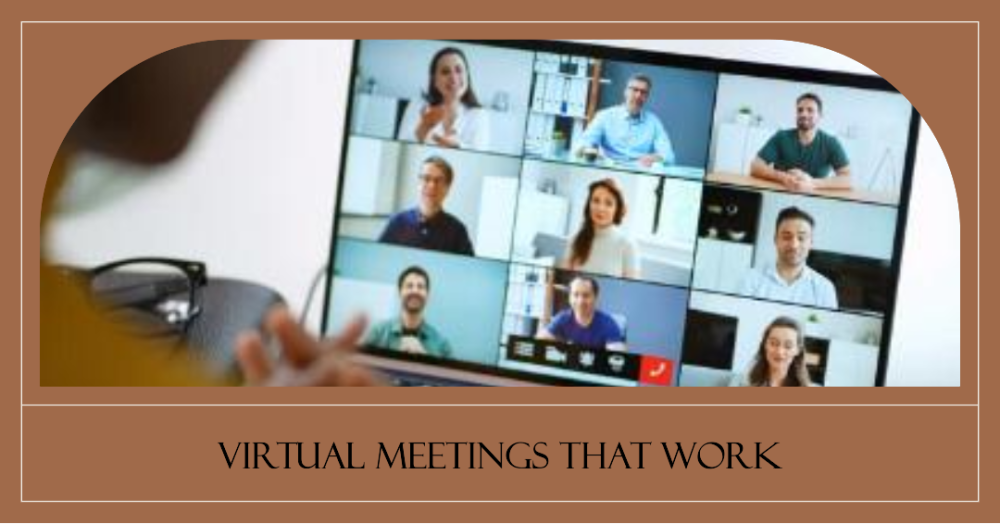
In the era of remote work, video conferencing is essential. Small businesses can benefit from high-quality video conferencing systems that provide crystal-clear audio and video quality. These systems facilitate seamless communication with remote teams, clients, and partners, enhancing collaboration and productivity.
AV Integration
AV integration is the backbone of a seamless audio visual experience. Small businesses can benefit from AV integration services that bring together various audiovisual components, ensuring they work harmoniously. This results in a more streamlined and efficient audio visual setup, whether it’s for meeting rooms, presentations, or customer-facing displays.
Sound System Components
Clear and impactful audio is crucial for effective presentations and customer engagement. Small businesses should invest in high-quality sound system components that can provide rich and immersive sound quality. This includes speakers, microphones, amplifiers, and audio processors, all of which contribute to a superior auditory experience.
Meeting Room Technology
Meeting room technology encompasses a range of audiovisual solutions designed to enhance collaboration and productivity. This includes equipment like smart projectors, wireless screen sharing devices, and room control systems. These technologies streamline the meeting process and make it easier for teams to share information and ideas effectively.
Business Presentations
For small businesses, professional and engaging business presentations are vital. This involves not only the use of high-quality projectors and displays but also effective presentation software and tools. Creating visually appealing and informative presentations is essential for leaving a lasting impression on clients, partners, and investors.
Remote Work Tools
With the rise of remote work, small businesses need audiovisual solutions that support virtual collaboration. This includes video conferencing equipment, screen sharing tools, and interactive platforms that enable remote teams to work together seamlessly.
AV Accessories
To complete your audio-visual setup, consider investing in essential AV accessories like cables, mounts, and adapters. These may seem minor, but they play a crucial role in ensuring that your equipment functions smoothly and efficiently.
Wireless Audio Video Systems for Meetings
In today’s increasingly remote work-oriented world, having the right wireless audiovisual equipment is crucial for successful and efficient virtual meetings. To facilitate your transition to a seamless remote work environment, we present the top wireless audiovisual solutions from different leading brands. These devices offer cutting-edge features to ensure crystal-clear communication, enhanced collaboration, and productive remote meetings. From high-resolution cameras to noise-cancelling headphones and interactive whiteboards, this selection caters to a diverse range of needs for remote workers. Discover the perfect audiovisual equipment to optimize your remote work experience.
Logitech MeetUp Video Conference Camera
The Logitech MeetUp Video Conference Camera, a product by Logitech, is a remarkable choice for remote work environments. With a sharp 4K video resolution and a wide-angle lens, this camera ensures that your remote meetings are of the highest quality. It’s specifically designed for small meeting rooms, guaranteeing that every participant is captured in the frame. Furthermore, the built-in audio capabilities provide clear and crisp sound, making it an all-in-one solution for video conferencing needs.
Bose Noise Cancelling Headphones 700
Bose, a renowned brand in audio equipment, offers the Bose Noise Cancelling Headphones 700, perfect for remote workers who need a quiet and focused environment for their virtual meetings. These headphones are celebrated for their exceptional noise-canceling capabilities, which drown out distractions and ensure that you can fully concentrate during your remote work sessions.
Microsoft Surface Hub 2S
From the tech giant Microsoft, the Surface Hub 2S is an interactive display that revolutionizes remote collaboration. This device features a touch-screen interface and seamless integration with Microsoft Teams, making it an excellent tool for team meetings and brainstorming sessions. Its wireless capabilities enable remote workers to connect and collaborate effortlessly.
Poly Studio X Series
Poly, formerly known as Polycom, offers the Poly Studio X Series, including video bars and video conferencing systems. These devices provide top-notch audio and video quality for remote work and conference room solutions. They are known for their ability to deliver a professional and engaging meeting experience.
Yealink CP960 Conference Phone
Yealink’s CP960 Conference Phone is a valuable addition to remote meetings, designed to provide high-quality audio in conference settings. With wireless connectivity, it’s an ideal choice for remote teams conducting collaborative meetings, ensuring everyone can hear and be heard with clarity.
Samsung Flip 2 Interactive Whiteboard
Samsung’s Flip 2 Interactive Whiteboard is a digital marvel that empowers remote teams to collaborate effectively. With wireless connectivity, this interactive whiteboard allows for seamless sharing and brainstorming sessions, enhancing productivity during remote work.
Jabra Speak 710 Speakerphone
Jabra’s Speak 710 Speakerphone is a portable and wireless audio solution designed for remote meetings. Its outstanding audio quality and wireless connectivity make it a convenient choice for those seeking high-quality sound in remote work setups. Whether you’re in a home office or a conference room, the Jabra Speak 710 ensures your voice is heard clearly during virtual meetings.
Interactive Display Technology Benefits
Interactive display technology is revolutionizing the way we use audio-visual equipment and multimedia hardware in various settings. From enhancing business presentations to improving remote work tools, this technology offers numerous benefits that cater to different needs. In this section, we will delve into seven key benefits of interactive display technology.
Enhanced Collaboration Tools for Business
Interactive displays serve as exceptional collaboration tools, fostering teamwork and creativity in the workplace. Teams can easily brainstorm and share ideas, aided by AV integration that allows multiple users to contribute in real time. These displays facilitate the use of presentation equipment and multimedia devices for more engaging meetings.
Immersive Visual Communication
With interactive displays, visual communication reaches new heights. Users can make compelling business presentations using touch screens, pens, or interactive software. This creates an engaging experience, ensuring your message is effectively conveyed, all while promoting the use of audio visual equipment and multimedia hardware.
Efficient Conference Room Solutions
Interactive displays transform conference rooms, making them more efficient. The technology simplifies AV technology, making it easy to set up a conference room system. Meetings can begin promptly, as interactive displays offer hassle-free connectivity and ease of use.
Engaging Event Production
For event production, interactive displays provide a dynamic platform for showcasing content and engaging the audience. These displays are vital in the digital signage realm, offering a captivating way to convey information in retail stores and other public spaces.
Optimized Remote Work Tools
Interactive displays are invaluable for remote work. They enable teams to connect seamlessly via video conferencing, making them an ideal choice for audiovisual solutions in the context of remote work. This facilitates better communication and collaboration.
Streamlined Multimedia Presentations
Interactive displays simplify the use of multimedia hardware and presentation technology. This streamlines the process of creating and delivering content, making it easier for businesses to create compelling multimedia presentations that capture their audience’s attention.
Flexibility in AV Integration
Interactive displays offer flexibility in AV integration, allowing for seamless incorporation of audio visual systems and multimedia devices. This adaptability ensures that businesses can easily upgrade their conference room technology and adapt to changing needs.
Choosing the Right Multimedia Devices
When it comes to selecting the ideal audio visual equipment for your needs, several key factors should be considered to ensure you make the right choice. Whether you’re in the market for audiovisual technology, multimedia hardware, collaboration tools, presentation equipment, AV integration, conferencing solutions, video conferencing, digital signage, event production, sound system components, visual communication, meeting room technology, business presentations, remote work tools, or AV accessories, this section will help you make informed decisions. Here are seven factors to keep in mind:
Identify Your Specific Needs
To choose the right audio visual equipment, it’s crucial to first determine your unique requirements. Consider the purpose of the equipment, the environment it will be used in, and the audience it will serve. For example, if you’re a small business, you might be looking for the best audio visual equipment for small businesses, which focuses on cost-effective and efficient solutions.
Quality and Resolution
Pay close attention to the quality and resolution of multimedia devices. Higher resolution and quality audiovisual gear provide a more immersive experience. This is particularly important for presentations, video conferencing, and digital signage in retail stores.
Compatibility and Integration
Ensure that the multimedia devices you choose are compatible with your existing AV technology. AV integration is essential for a seamless user experience. This includes the ability to connect and collaborate with other devices and systems for effective presentations and communication.
Budget Considerations
Consider your budget when selecting audiovisual solutions. Affordable conference room AV solutions are available for small businesses, while larger enterprises may invest in more advanced technology. Striking a balance between cost and functionality is key.
Ease of Use
User-friendliness is crucial, especially in business presentations and remote work tools. Choose devices that are intuitive and easy to operate. This ensures that your team can focus on content, not technology hiccups.
Durability and Maintenance
Think about the long-term when choosing multimedia hardware. Quality sound system components, AV accessories, and presentation technology should be durable and easy to maintain. This reduces downtime and ensures a consistent user experience.
Future-Proofing
Consider future needs and upgrades. Technology evolves rapidly, so it’s important to choose equipment that can adapt to changing requirements. This includes staying up-to-date with audiovisual technology trends and planning for potential expansions.
Selecting the right audio visual equipment involves a careful balance of various factors. By keeping these considerations in mind, you can make informed decisions that enhance your audiovisual experience and meet the needs of your specific context.
AV Equipment Setup Guide
Setting up audio visual equipment can be a breeze when you follow the right steps. Whether you’re preparing for a business presentation, remote work, or an event, it’s crucial to ensure that your AV gear is ready to deliver top-notch performance. In this AV equipment setup guide, we’ll walk you through seven essential steps to get you up and running smoothly with your audiovisual technology.
Prepare Your Space for Multimedia Hardware
Before diving into the technical setup, start by organizing your space. Ensure that there’s enough room for your audio visual equipment, including collaboration tools, presentation equipment, and visual presentation tools. Make sure that cables, power outlets, and AV integration points are easily accessible for a hassle-free setup.
Unbox and Inspect Your AV Gear
Carefully unbox your AV equipment, which may include sound system components, conferencing solutions, video conferencing tools, and multimedia devices. Inspect each item for any damage or missing components. It’s essential to do this before starting the setup process to avoid any last-minute issues.
Connect and Configure AV Technology
Begin by connecting your audio visual equipment. Ensure that all connections are secure, and cables are organized to avoid tangling or tripping hazards. Configure your AV gear according to your specific needs, such as adjusting settings for different sound system components or video conferencing requirements.
Set Up Collaboration Tools
If your setup involves collaboration tools, take the time to install and configure them. Ensure that all software or applications required for collaborative work are properly installed and tested for compatibility with your multimedia hardware.
Test Video Conferencing and Visual Presentation Tools
For those using video conferencing and visual presentation tools, conduct a thorough test to ensure they function correctly. Check for audio and video quality, screen sharing capabilities, and compatibility with the chosen conferencing equipment.
Fine-Tune Audiovisual Solutions
Calibrate your audiovisual solutions for optimal performance. Adjust audio levels, screen resolutions, and other settings to provide a seamless audio and visual experience during presentations or conferences.
Organise AV Accessories
Finally, organize your AV accessories, such as remote controls, microphones, and cables. Keep them within easy reach to avoid interruptions during your presentation or event.
Conclusion
When it comes to audio visual equipment, businesses today are seeking cutting-edge solutions that go beyond the traditional boundaries of AV gear. In this era of rapidly evolving technology, audiovisual technology is no longer limited to projectors and screens alone. It encompasses a wide spectrum of multimedia devices, including interactive displays, sound system components, and presentation technology. For businesses looking to enhance their collaboration tools and presentation equipment, it’s essential to stay at the forefront of AV integration. This means embracing the latest conferencing solutions, video conferencing systems, and digital signage to ensure seamless communication and engagement.
One of the primary goals of integrating audio visual equipment is to elevate business presentations to the next level. To achieve this, it’s vital to explore the world of visual communication, utilizing state-of-the-art audiovisual gear that not only captivates your audience but also enhances their understanding of the content. Meeting room technology, especially in the context of remote work tools, has become more crucial than ever. The right AV accessories can make a significant difference, ensuring that your message is not only heard but also seen in crystal-clear quality.
For small businesses, finding the best audio visual equipment is essential for efficiency and cost-effectiveness. They often seek affordable conference room AV solutions that balance quality with budget constraints. Additionally, top audiovisual gear for presentations is crucial, as it ensures that their audience is engaged and connected, whether in-person or via video conferencing. Furthermore, interactive display technology offers the benefits of dynamic and interactive presentations that leave a lasting impression. When choosing the right multimedia devices, it’s crucial to consider factors such as compatibility, ease of use, and maintenance.
In conclusion, the world of AV technology is ever-evolving, and businesses must adapt to remain competitive. By embracing professional audiovisual solutions, including conferencing equipment, sound system components, and digital signage, companies can transform their meeting rooms into hubs of innovation and productivity. It’s not just about upgrading conference room technology; it’s about unlocking the full potential of visual communication, audio video equipment, and multimedia hardware to make business presentations more impactful and facilitate seamless collaboration. In this digital age, the right audio visual equipment is not just an accessory; it’s a strategic asset that can take your business to new heights.
FAQs
What are the essential components of audio visual equipment?
Common audiovisual equipment components include displays (e.g., projectors or screens), audio systems (microphones, speakers), source devices (computers, media players), and signal processors (switchers, scalers). Cables, connectors, and control interfaces are crucial for interconnectivity.
How can I choose the right AV gear for my business?
Select AV gear by assessing your specific needs, considering room size, budget, and functionality. Consult with AV professionals for guidance and explore reliable brands. Prioritize equipment compatibility and ease of use.
What are the benefits of interactive display technology?
Interactive displays enhance engagement and collaboration in education and business. They enable real-time annotation, touchscreen interaction, and seamless digital content sharing, fostering more dynamic and productive meetings or lessons.
How to set up a conference room sound system?
Install microphones strategically, ensure quality speakers, and employ an audio mixer for control. Properly calibrate the system to eliminate feedback and echo. Consider room acoustics for optimal sound quality.
What are the trends in audiovisual technology?
Trends include 4K and 8K displays, AI-driven content analytics, immersive experiences like virtual reality, and AV over IP for scalable, flexible installations.
How to design an effective conference room for meetings?
Plan seating, lighting, and acoustics carefully. Integrate AV equipment, consider room layout, and provide user-friendly control interfaces for efficient meetings.
Which brands offer reliable audio visual equipment?
Some reputable brands for AV equipment are Crestron, Extron, Bose, Sony, and Samsung. Choose based on your specific needs and budget.
What is the best way to upgrade conference room technology?
Assess current technology, identify shortcomings, and invest in upgrades like higher-resolution displays, better microphones, and user-friendly control systems. Consult with AV experts for tailored solutions.
How can I improve online meetings with AV technology?
Upgrade your webcam, microphone, and lighting for better video quality. Invest in collaborative software and a reliable internet connection. Consider using a green screen for professional backgrounds.
What are the must-have multimedia accessories for presentations?
Essential accessories include a wireless presenter remote, quality projector or display, audio system, adapters for device connectivity, and cable management solutions.
How does digital signage benefit retail stores?
Digital signage enhances customer engagement, promotes products, and provides real-time information. It can increase sales, improve the shopping experience, and adapt to changing promotions quickly.
What are the best practices for video conferencing in business?
Maintain a professional background, use good lighting, and dress appropriately. Mute your microphone when not speaking, test equipment beforehand, and establish clear meeting protocols.
How to maintain and troubleshoot audio video equipment?
Regular maintenance involves cleaning, updating software, and checking connections. Troubleshoot by identifying issues, consulting manuals, and seeking professional help for complex problems.
What services do AV integration companies provide?
AV integration companies offer services like design, installation, maintenance, and troubleshooting of audiovisual systems. They tailor solutions to specific business or project needs.
What are the top collaboration tools for remote teams?
Popular collaboration tools include Slack, Microsoft Teams, Zoom, Trello, and Asana. Choose based on your team’s communication and project management requirements.




 Cables
 Cable Sleeves
 Content Cameras
 AV Cabinets
 AV Connectivity
 Multimedia Carts & Stands
 Shelf Brackets
 AV Equipment Shelves
 CPU Holders
 Holders
 Laptop Stands
 Monitor Mounts & Stands
 Monitor Mount Accessories
 Mounting Kits
 Projector Mounts
 Projector Mount Accessories
 Speaker Mounts
 Tablet Security Enclosures
 TV Mount Accessories
 BYOD All-In-One-Bars
 BYOD Cameras
 BYOD Conference Kits
 Collaboration Displays
 Interactive Displays
 Non-Interactive Displays
 Signage Displays
 Signage Display Mounts
 Signage Display Mount Accessories
 Huddle Space
 Small Room
 Medium Room
 Large Room
 Boardroom
 Teams Huddle Room
 Teams Small Room
 Teams Medium Room
 Teams Large Room
 Teams Scheduling Display
 Teams Accessories
 Acer Projectors
 Benq Projectors
 Epson Projectors
 NEC Projectors
 Optoma Projectors
 Panasonic Projectors
 Sony Projectors
 Viewsonic Projectors
 Vivitek Projectors
 Video phones
 Voice Gateways
 White IP Phones
 WiFi Handsets
 Airtame Wireless Presentation
 Barco Clickshare
 BenQ Instashow
 Poly Pano
 Conference Kits
 Headsets
 Webcams
 Zoom Huddle Room
 Zoom Small Room
 Zoom Medium Room
 Zoom Large Room