

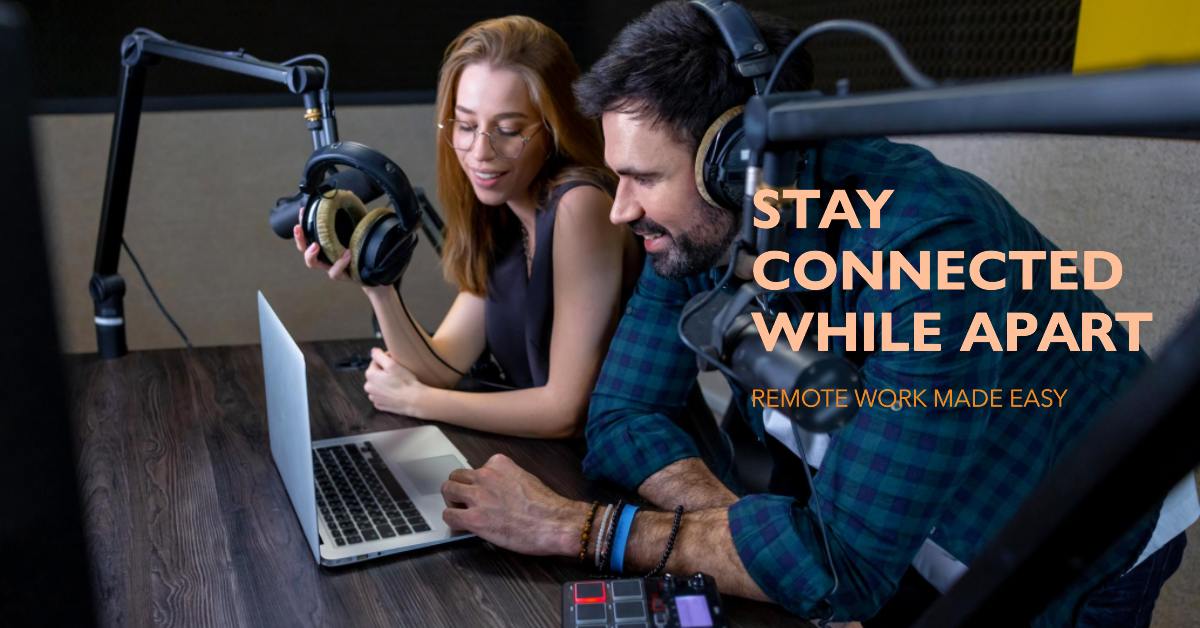

In today’s rapidly evolving landscape of remote work, AV technology plays a pivotal role in shaping how we collaborate and communicate. As we adapt to the demands of telecommuting, it’s crucial to leverage the right AV tech for remote work to ensure seamless and effective communication within your remote team. Whether you’re a seasoned telecommuter or just venturing into the world of remote work, understanding the diverse range of AV technology, collaboration tools, and video conferencing solutions is key to your success.
AV tech for remote work encompasses a wide spectrum of audio-visual equipment, from high-quality cameras and microphones to cutting-edge collaboration software. These tools allow remote teams to engage in virtual meetings with ease, bridging the gap between physically distant team members. The best AV tech tools for remote work include high-quality webcams (e.g., Logitech C920), noise-cancelling microphones (e.g., Blue Yeti), and headphones (e.g., Bose QuietComfort), and screen-sharing software like Zoom or Microsoft Teams can be crucial for presentations and collaboration.
Creating the perfect home office setup requires careful consideration of the best AV tech for remote work. By selecting top-notch telecommuting gadgets and conferencing solutions, you can significantly improve your remote communication experience. From affordable video conferencing solutions to high-quality audio-visual gear, the options are vast, but it’s essential to choose what aligns with your specific needs. With the right technology, you can enhance your remote workforce communication strategies and empower your team to excel in the world of remote work.
To set up AV tech for remote work effectively, it’s important to consider not only the hardware but also the collaboration software that complements it. The choice of video conferencing software, in particular, can make a substantial difference in how your remote team interacts. We’ll explore some of the most effective collaboration tools for virtual teams, discuss best practices for online collaboration, and offer insights into selecting telework technology for beginners. Moreover, we’ll provide digital conferencing tips and reviews of telecommuting equipment to help you navigate the vast world of AV technology for remote work successfully. In today’s fast-paced remote work environment, it’s more important than ever to stay informed and equipped with the right tools to ensure your team’s success.
Best AV Tech for Remote Work
AV technology, an integral part of remote work solutions, offers a plethora of advantages for telecommuting, video conferencing, and online collaboration. In this section, we’ll explore seven key benefits of leveraging AV tech for remote work, shedding light on the digital conferencing world and its impact on remote team communication, home office setups, and enhancing productivity.
Seamless Video Conferencing
AV technology ensures smooth video conferencing, simplifying online meetings. High-quality audio-visual equipment enhances remote team communication, making virtual meetings engaging and interactive. Users can choose suitable video conferencing tools to improve collaboration.
Enhanced Remote Collaboration
AV tech enables effective telecommuting, promoting teamwork and project management. The choice of video conferencing software creates a virtual collaboration environment, mimicking in-person interactions for strong teamwork.
Productive Telecommuting
AV technology boosts productivity with telecommuting solutions. Telecommuting gadgets offer flexibility for working from home and selecting the right teleconferencing devices and collaboration software keeps you connected and productive.
Home Office AV Setup
Optimize your home office with AV technology. Top home office AV products and conferencing solutions create the ideal workspace, facilitating effective communication with remote teams and clients.
Improved Remote Communication
Digital conferencing for remote teams enhances communication clarity. AV tech empowers you to convey ideas effectively, improving remote workforce communication. Adhering to online collaboration best practices fosters effective remote team interaction.
Telecommuting Gear Selection
Choosing the right telework technology is vital. AV tech provides a range of telecommuting gadgets for productivity. Reading telecommuting equipment reviews ensures informed decisions, guaranteeing efficient remote work.
Convenient Online Meetings
AV technology simplifies online meetings, making them hassle-free. This convenience streamlines communication and collaboration, improving overall remote work efficiency.
Affordable Video Conferencing Solutions
Incorporating these affordable video conferencing solutions can positively impact businesses, offering numerous benefits such as increased productivity, cost savings, and improved remote team communication. These solutions also promote inclusivity, enhance training processes, and contribute to environmental sustainability.
Enhanced Productivity
AV tech for remote work, which includes affordable video conferencing solutions, significantly enhances productivity by streamlining collaboration through virtual meetings. This efficient approach reduces the time and effort typically associated with in-person meetings and office interactions.
Cost Savings
By adopting video conferencing and telecommuting solutions, businesses can realize substantial cost savings. These solutions eliminate the need for travel, accommodations, and physical meetings, reducing overall expenses. Furthermore, they allow companies to downsize office space, further cutting costs.
Improved Communication
Effective communication is a cornerstone of successful remote work. AV technology, along with audio-visual equipment, ensures clear and instant communication among team members, regardless of their physical locations. This fosters better remote team communication, strengthening collaboration and understanding.
Flexibility and Telecommuting
Affordable video conferencing solutions empower organizations to embrace telecommuting. Telecommuting gadgets and home office AV setups facilitate a seamless transition from traditional office environments to remote work. Employees can work from home, supported by virtual collaboration tools.
Accessibility and Inclusivity
Video conferencing solutions promote accessibility and inclusivity in the workforce. Remote collaboration technology allows individuals with physical disabilities, those in remote areas, or those seeking flexible work options to participate in the job market, thereby strengthening remote workforce communication.
Enhanced Training and Onboarding
Effective onboarding and training are crucial for remote teams. AV technology and conferencing solutions enable businesses to conduct training sessions, workshops, and meetings online, saving time and ensuring consistent training processes.
Environmental Sustainability
Remote work and affordable video conferencing solutions contribute to environmental sustainability. By reducing the need for daily commutes and in-person meetings, companies can lower their carbon footprint, supporting sustainability efforts.
Remote Team Collaboration Tools
In today’s fast-paced digital landscape, remote work is becoming increasingly prevalent, with businesses and teams adapting to a new way of working. Effective collaboration tools and AV technology play a crucial role in facilitating seamless remote team communication, enhancing productivity, and ensuring that remote work is as efficient as working in a traditional office setup. In this section, we’ll explore seven essential tools that cater to your AV tech for remote work needs.
Slack
Slack is a widely adopted instant messaging and team collaboration platform. It allows for real-time communication, making it easy for team members to engage in discussions, share files, and integrate with other applications. The user-friendly interface and the ability to create channels for specific topics or projects enhance collaboration within remote teams.
Microsoft Teams
Microsoft Teams is a central part of the Microsoft 365 suite. It offers chat functionality, video conferencing, file sharing, and tight integration with Microsoft’s productivity applications. Teams act as a hub for communication and collaboration, providing a seamless experience for remote teams using Microsoft tools.
Zoom
Zoom is a well-known video conferencing tool that supports virtual meetings, webinars, and screen sharing. It is a valuable tool for remote teams looking to facilitate face-to-face interactions, conduct webinars, and share screens to discuss ideas and projects in detail.
Google Workspace (formerly G Suite)
Google Workspace is a comprehensive suite of collaborative tools that includes Google Docs, Sheets, Slides, and Drive. Alongside these document creation and storage capabilities, Google Meet offers video conferencing, enabling remote teams to collaborate and communicate in real time.
Trello
Trello is a project management tool that simplifies task organization. It uses boards, lists, and cards to help teams manage their projects and tasks. Trello is particularly useful for remote teams that need a visual way to organize and prioritize work.
Asana
Asana is a task and project management platform that assists teams in planning, tracking, and managing their work. It offers a structured approach to project management and facilitates collaboration among remote team members.
Basecamp
Basecamp is a project management and team collaboration tool that centralizes project communication and file sharing. It provides a shared space for teams to work together and organize tasks and projects efficiently.
Monday.com
Monday.com is a work operating system that simplifies work tracking, project management, and team collaboration. It allows remote teams to streamline their workflows, meet deadlines, and promote transparency in their operations.
Jira
Jira is primarily known as a project and issue-tracking tool used in software development. However, it can be adapted for various team collaboration needs. It provides a structured way to manage tasks and projects, making it useful for remote teams.
Notion
Notion is a versatile all-in-one workspace that combines note-taking, task management, and wiki-style documentation. It’s a flexible tool for remote teams looking to streamline their work processes and knowledge sharing.
Toggl Plan
Toggl Plan is a straightforward team calendar and project planner that visualizes workloads and helps remote teams manage their tasks effectively. It simplifies work planning and tracking, making it easier for team members to stay organized.
Wrike
Wrike is a project management and collaboration tool that assists teams in streamlining workflows and improving productivity. It offers a range of features for remote teams to work together efficiently.
Airtable
Airtable is a hybrid between a spreadsheet and a database, providing a flexible and collaborative way to organize and track data. It is a valuable tool for teams looking to manage and collaborate on various types of information.
Monday.com
Monday.com is a visual work operating system that simplifies the way teams work together. It helps remote teams manage work, meet deadlines, and foster a culture of transparency in their operations.
Figma
Figma is a cloud-based design tool that allows multiple team members to collaborate on design projects in real-time. It is particularly useful for design and creative teams, enabling them to work together seamlessly from different locations.
High-Quality Audio-Visual Gear
In today’s dynamic work environment, leveraging the right AV technology for remote work is essential. As businesses adapt to telecommuting and remote team collaboration, the demand for high-quality audio-visual gear has surged. Here, we present a curated list of seven exceptional AV tech solutions to enhance your remote work experience.
All-In-One Video Conferencing Systems
To streamline your remote communication, investing in all-in-one video conferencing systems is crucial. These solutions, like the popular Zoom Rooms or Microsoft Teams, offer seamless integration with a variety of collaboration tools and are designed to enhance video conferencing experiences. When selecting an all-in-one system, consider factors such as camera quality, microphone clarity, and ease of use.
High-Resolution Webcams
A high-quality webcam is a remote worker’s best friend. Look for models that offer 1080p or even 4K resolution to ensure crystal-clear video during virtual meetings. Popular options include the Logitech Brio and the Razer Kiyo Pro, both known for their exceptional image quality and advanced features.
Wireless Headsets with Noise Cancellation
Remote team communication can be disrupted by background noise, making noise-cancelling wireless headsets a must-have. Brands like Bose, Sony, and Jabra produce headsets that provide superior audio quality and eliminate distractions, allowing for better concentration during virtual meetings.
Dual Monitor Setups
Enhance your productivity with dual monitor setups, which facilitate multitasking and improve your remote office setup. Having two screens can significantly boost your efficiency, especially when working with complex documents or participating in online collaboration with your team.
Digital Whiteboards
Digital whiteboards are a game-changer for remote collaboration. With options like the Microsoft Surface Hub and Google Jamboard, you can easily brainstorm, draw diagrams, and share ideas with your team as if you were in the same room. These tools promote interactive virtual meetings and collaboration.
High-Fidelity Microphones
Achieve crystal-clear audio during virtual meetings with high-fidelity microphones. Models like the Blue Yeti and Audio-Technica AT2020 USB are well-regarded for their audio quality, making them ideal for podcasters, YouTubers, and professionals who need top-notch sound during remote work.
Video Conferencing Software
The success of remote work heavily depends on the choice of video conferencing software. Opt for industry-leading solutions like Zoom, Microsoft Teams, or Cisco Webex for seamless online meetings, virtual collaboration, and telecommuting. These platforms offer a range of features that improve remote team communication.
Choosing Telework Technology
In the age of remote work and telecommuting, selecting the right AV tech for remote work is paramount to ensuring efficient and productive virtual collaboration. To make an informed decision, consider these seven essential factors that encompass AV technology, remote work solutions, and communication tools.
AV Tech Compatibility
AV tech compatibility is vital in remote work setups. It refers to how well your audio-visual equipment aligns with your existing tools and systems. Choosing AV tech that seamlessly integrates with your collaboration tools and telecommuting solutions ensures that you can conduct video conferencing, virtual meetings, and online collaboration with ease. This compatibility contributes to efficient remote team communication.
Video Conferencing Features
When selecting AV technology for remote work, you should prioritize video conferencing features. Look for solutions that offer advanced capabilities such as screen sharing, real-time chat, and the ability to record meetings. These features are essential for effective communication and collaboration among remote team members. Having access to these features can significantly improve your telecommuting experience.
Audio-Visual Equipment Quality
The quality of your audio-visual equipment is paramount in remote work. This factor encompasses the choice of microphones, cameras, and displays. Investing in high-quality equipment ensures that your remote meetings are clear, professional, and closely mimics in-person interactions. High-quality audio-visual gear contributes to an improved remote office setup and provides seamless conferencing solutions.
Collaboration Software
Collaboration software plays a crucial role in remote work. It refers to the tools and platforms that facilitate online meetings and virtual collaboration. When choosing collaboration software, consider options that support telecommuting, offer real-time document sharing, and enhance communication among remote team members. Effective collaboration software streamlines your workflow and promotes productive remote work.
Telecommuting Gadgets
Enhancing your home office setup is essential for remote work productivity. Telecommuting gadgets encompass a range of items, such as ergonomic furniture, lighting solutions, and soundproofing materials. These gadgets contribute to creating a comfortable and productive workspace in your home. A well-equipped home office ensures that you can maintain focus and efficiency while working remotely.
Conclusion
In the ever-evolving landscape of remote work, the demand for AV tech for remote work has become paramount. Businesses are constantly seeking efficient remote work solutions to keep their teams connected and productive. Thanks to the rapid advancements in collaboration tools and video conferencing, telecommuting has transitioned from a mere concept to a daily reality. AV technology, encompassing a wide array of audio-visual equipment, plays a pivotal role in this transformation. These essential tools enable online meetings, remote team communication, and seamless home office setup, making conferencing solutions and telecommuting gadgets an integral part of today’s professional life.
When considering AV tech for remote work, the key to success lies in choosing the right collaboration tools. Whether you’re exploring virtual collaboration or looking to enhance your remote communication, it’s essential to stay up-to-date with the latest telework technology. The market offers a diverse range of digital conferencing options, each tailored to meet the unique needs of remote teams. As the demand for remote workforce communication grows, investing in top-quality audio-visual gear and selecting teleconferencing devices becomes more critical than ever.
In the quest for the best AV tech for remote work, it’s important to remember that effective remote work tools extend beyond the hardware. Collaboration software, work-from-home equipment, and remote collaboration are all integral parts of the equation. To navigate this new era of remote work effectively, businesses and individuals alike must focus on online collaboration best practices, telework technology for beginners, and digital conferencing tips. By doing so, they can not only adapt to the changing landscape but thrive in it.
In conclusion, as we continue to redefine the way we work, AV tech for remote work remains at the forefront of the transition. It empowers us with the tools and solutions we need to excel in telecommuting and remote team collaboration. From choosing the right video conferencing software to enhancing remote team communication and selecting the best telecommuting equipment, we are equipping ourselves with the digital conferencing solutions that are defining the future of work. By embracing these technologies and strategies, we can improve our remote workforce communication and stay connected in this ever-changing landscape of work.
FAQs
What are the best AV tech tools for remote work?
The best AV tech tools for remote work include high-quality webcams (e.g., Logitech C920), noise-canceling microphones (e.g., Blue Yeti), and headphones (e.g., Bose QuietComfort). Additionally, screen-sharing software like Zoom or Microsoft Teams can be crucial for presentations and collaboration.
How can I enhance collaboration while working remotely?
Enhance collaboration in remote work by using project management tools (e.g., Trello), video conferencing software (e.g., Zoom), and cloud storage (e.g., Google Drive). Regular team meetings and communication channels such as Slack or Microsoft Teams help foster collaboration.
Which video conferencing software is most effective?
Zoom, Microsoft Teams, and Cisco Webex are highly effective video conferencing options. The choice depends on your specific needs, but Zoom is widely popular for its user-friendly interface and versatile features.
What telecommuting equipment should I invest in?
Invest in essential telecommuting equipment like a reliable laptop, ergonomic chair and desk, high-speed internet, noise-canceling headphones, and a good webcam. A second monitor can also boost productivity.
How do I set up audio-visual gear for remote work?
To set up audio-visual gear for remote work, ensure good lighting, position the webcam at eye level, use a quality microphone, and select a quiet workspace. Test your setup with a friend to ensure everything works well.
What are the top online collaboration tools for remote teams?
Top online collaboration tools for remote teams include Slack, Microsoft Teams, Trello, Asana, and Google Workspace. These tools facilitate communication, project management, and document sharing.
How can I improve remote team communication?
Improve remote team communication through regular video meetings, clear communication guidelines, and using collaboration tools. Encourage open communication, active listening, and provide feedback promptly.
Are there affordable telecommuting solutions available?
Yes, there are affordable telecommuting solutions. Open-source software like OBS Studio for recording and streaming, and free versions of communication tools like Zoom, offer cost-effective options. You can also find budget-friendly ergonomic furniture and accessories.
What should I consider when choosing conferencing software?
Consider factors like ease of use, security features, scalability, and compatibility with your devices and operating systems. User support, pricing, and the availability of features like screen sharing and recording are important as well.
How to make the most of digital conferencing for remote teams?
To make the most of digital conferencing, ensure a stable internet connection, use a quiet environment, encourage participation, and share agendas in advance. Record meetings for those who can’t attend and utilize screen sharing for presentations.
What are the best strategies for remote workforce communication?
The best strategies for remote workforce communication include setting clear expectations, using a mix of communication tools, scheduling regular meetings, and encouraging team members to ask questions and provide feedback. Foster a culture of transparency and openness.
What telecommuting gadgets can boost productivity?
Productivity-boosting telecommuting gadgets include wireless keyboards and mice, a standing desk converter, and a monitor with adjustable height and orientation. These gadgets enhance comfort and efficiency.
Any recommendations for online meetings with ease?
For efficient online meetings, create an agenda, mute your microphone when not speaking, use video to connect visually, and test your equipment beforehand. Be punctual and respect time limits for effective and enjoyable meetings.
What gear should I have for my remote office setup?
A complete remote office setup should include a laptop or desktop computer, high-quality headphones, a webcam, a microphone, an ergonomic chair, an adjustable desk, and proper lighting. Invest in accessories like a keyboard, mouse, and second monitor for enhanced productivity.
What are the key features of teleconferencing devices?
Key features of teleconferencing devices include high-definition video quality, clear audio with noise cancellation, screen sharing capabilities, recording and playback options, integration with other collaboration tools, and security features like end-to-end encryption.




 Cables
 Cable Sleeves
 Content Cameras
 AV Cabinets
 AV Connectivity
 Multimedia Carts & Stands
 Shelf Brackets
 AV Equipment Shelves
 CPU Holders
 Holders
 Laptop Stands
 Monitor Mounts & Stands
 Monitor Mount Accessories
 Mounting Kits
 Projector Mounts
 Projector Mount Accessories
 Speaker Mounts
 Tablet Security Enclosures
 TV Mount Accessories
 BYOD All-In-One-Bars
 BYOD Cameras
 BYOD Conference Kits
 Collaboration Displays
 Interactive Displays
 Non-Interactive Displays
 Signage Displays
 Signage Display Mounts
 Signage Display Mount Accessories
 Huddle Space
 Small Room
 Medium Room
 Large Room
 Boardroom
 Teams Huddle Room
 Teams Small Room
 Teams Medium Room
 Teams Large Room
 Teams Scheduling Display
 Teams Accessories
 Acer Projectors
 Benq Projectors
 Epson Projectors
 NEC Projectors
 Optoma Projectors
 Panasonic Projectors
 Sony Projectors
 Viewsonic Projectors
 Vivitek Projectors
 Video phones
 Voice Gateways
 White IP Phones
 WiFi Handsets
 Airtame Wireless Presentation
 Barco Clickshare
 BenQ Instashow
 Poly Pano
 Conference Kits
 Headsets
 Webcams
 Zoom Huddle Room
 Zoom Small Room
 Zoom Medium Room
 Zoom Large Room