



In the ever-evolving landscape of remote work, the demand for audio visual equipment for remote work has reached new heights. As professionals increasingly embrace the benefits of telecommuting, the significance of crystal-clear audio and high-definition video has become paramount in the world of virtual meetings and online collaboration. The ability to seamlessly communicate and connect with colleagues or clients from the comfort of one’s home office setup is a game-changer. So, what are the best choices for audio visual equipment for remote work, and how can they optimize remote work productivity?
Audiovisual equipment plays a crucial role in remote work by facilitating effective communication, collaboration, and engagement through high-quality video conferencing, audio systems, and presentation tools, bridging geographical gaps, enhancing productivity, and ensuring seamless virtual interactions for remote teams, ultimately optimizing the remote work experience. Whether you’re looking for video conferencing gear to enhance your online meetings or remote collaboration tools to streamline your virtual communication, selecting the right tools is crucial. With so many telework solutions available, you can find audio visual equipment for virtual meetings and remote work productivity tools that suit your unique requirements. And don’t forget, the importance of choosing affordable audio visual equipment for remote work is a key consideration for both individuals and businesses.
The journey to an effective audio visual setup for remote work begins with a deep dive into your specific needs and goals. Are you in search of remote team communication tools to foster better collaboration within your organization? Or perhaps you’re an educator seeking remote work AV tools to enhance your virtual classroom. Regardless of your niche, the realm of remote work audiovisual solutions offers myriad choices for professionals. You’ll find guidance on cost-effective telecommuting audio gear, tips for virtual presentation success, and even insights into remote work soundproofing solutions to ensure your online meetings remain distraction-free.
In this comprehensive guide, we will explore the landscape of audio visual equipment for remote work, diving into the latest tech essentials, hardware reviews, and how-to tips. By the end, you’ll have a clearer understanding of how to choose the right remote work audio visual setup, and you’ll be well-equipped to optimize your home-based meeting equipment for the best possible remote communication experience. Whether you’re new to the world of remote work or a seasoned telecommuter, this guide has something for everyone.
Affordable Audio Visual Equipment for Remote Work
In today’s fast-paced world of remote work and telecommuting, having the right audio visual equipment is essential for ensuring efficient virtual meetings, online collaboration, and remote communication. The key to success in a remote work setup is to have access to reliable and cost-effective audio visual tools that cater to your needs. In this section, we will list seven budget-friendly options for audio visual equipment that can significantly enhance your remote work experience.
HD Webcams
A high-definition webcam is a fundamental component of your home office AV setup. Choose webcams that offer crisp video quality and clear audio. Some popular options include the Logitech C920 and the Microsoft LifeCam HD-3000. These webcams ensure that you present yourself professionally during virtual meetings and online collaboration sessions.
USB Microphones
Crystal-clear audio is vital for effective remote communication. USB microphones like the Blue Yeti or the Audio-Technica ATR2100x provide superior sound quality, reducing background noise and ensuring your voice is heard loud and clear during virtual meetings and online collaboration.
Ring Lights
Ring lights are essential for achieving well-lit and professional-looking video during virtual meetings. These affordable and easy-to-install lights improve your video quality and ensure you look your best on camera.
Green Screens
Green screens offer versatility and creativity for your virtual meetings. They allow you to replace your background with professional images or custom graphics, adding a touch of professionalism to your online collaboration.
Document Cameras
Document cameras are indispensable for educators and professionals who need to display physical documents or objects during virtual meetings and online collaboration. Options like the IPEVO V4K provide high-resolution imagery.
Headsets
High-quality headsets are crucial for blocking out distractions and ensuring clear audio during virtual meetings. Look for noise-cancelling headsets with built-in microphones to enhance your remote work experience.
Portable Tripods and Mounts
Portable tripods and mounts are handy for positioning your webcam and microphone precisely where you need them. They help you achieve the ideal camera and microphone placement during virtual meetings and online collaboration.
Choosing the Right Remote Work Audio Visual Setup
In today’s world of remote work and telecommuting, having the right audio visual equipment for remote work is crucial to ensure productive and effective online collaboration and virtual meetings. To optimize your home office setup and boost remote work productivity, consider these seven essential factors when choosing the right audio visual setup:
Match Your Workspace Needs with Audio Visual Equipment
To create an effective remote work environment, it’s crucial to choose audio visual equipment that suits your workspace. Consider the size of your home office and the nature of your work. Tailoring your setup to your specific needs will ensure a seamless remote work experience.
Prioritize Video Conferencing Gear
For successful remote communication, prioritize high-quality video conferencing gear. Invest in top-notch webcams, high-resolution monitors, and proper lighting. This step guarantees that you’ll present yourself professionally and clearly during virtual meetings, leaving a lasting impression.
Evaluate Audio Quality
Never underestimate the significance of audio quality. Acquire top-notch microphones and headphones to enhance your remote work audio visual equipment. Clear and crisp sound is essential for effective communication during virtual meetings and collaborations.
Consider Home Office AV Setup
Designing a dedicated home office AV setup is a game-changer for remote work. Organize your workspace for optimal lighting and sound. This investment will contribute to a more professional and productive online presence.
Explore Remote Work Audio Solutions
Explore the wide range of remote work audio solutions available. This includes noise-canceling headphones, external speakers, and soundproofing materials. Choosing the right audio solutions can make a substantial difference in your remote work experience.
Assess Budget-Friendly Options
While quality matters, cost-effectiveness is also essential. Explore budget-friendly audio visual equipment for remote work without compromising on performance. Look for affordable solutions that meet your requirements.
Optimize Remote Collaboration Tools
Select remote collaboration tools that integrate seamlessly with your audio visual setup. This ensures that your online meetings and collaborations run smoothly, without technical hiccups that can disrupt your workflow.
Troubleshoot Remote Work Video Conferencing
Finally, be prepared to troubleshoot any issues with your remote work video conferencing equipment. Familiarize yourself with troubleshooting techniques and seek technical support when needed. This proactive approach will minimize disruptions during virtual meetings and maintain your remote work productivity.
Remote Work Audiovisual Accessories
In the world of remote work and telecommuting, having the right audiovisual accessories can make a significant difference in your online collaboration, virtual meetings, and overall home office setup. These seven accessories are essential for enhancing your remote work experience and productivity:
Webcam and Microphone Combinations
A quality webcam and microphone combination is the cornerstone of successful remote work. Look for options that provide clear video and audio, ensuring your presence is felt during virtual meetings. Affordable choices are available for cost-conscious remote workers.
Video Conferencing Gear
To elevate your online meetings and virtual presentations, invest in professional video conferencing equipment. These tools often feature wide-angle lenses and noise-canceling microphones, guaranteeing improved audio and video quality.
Remote Collaboration Tools
Streamline your online collaboration efforts with specialized software and applications. These tools offer real-time communication, document sharing, and project management capabilities, contributing to enhanced remote work productivity.
Audio Solutions for Virtual Meetings
For clear and uninterrupted audio during virtual meetings, incorporate dedicated audio solutions into your home office. High-quality headphones or speakers with integrated microphones can significantly reduce audio disruptions and enhance your online communication.
Telecommuting Visual Aids
Visual aids such as external monitors, document cameras, and interactive whiteboards can improve the visual aspect of your remote work setup. These aids enhance the clarity and efficiency of virtual presentations and collaborative projects.
Soundproofing Solutions
Create a distraction-free environment by implementing soundproofing solutions in your home office. Acoustic panels, noise-cancelling curtains, and door seals help reduce background noise and ensure a professional audiovisual experience during remote work.
DIY Remote Work AV Setup
If you prefer a customized approach, consider a do-it-yourself (DIY) remote work audiovisual setup. This allows you to tailor your equipment to your specific needs, ensuring a personalized and cost-effective solution for your remote work environment.
Setting Up Remote Work Video Conferencing
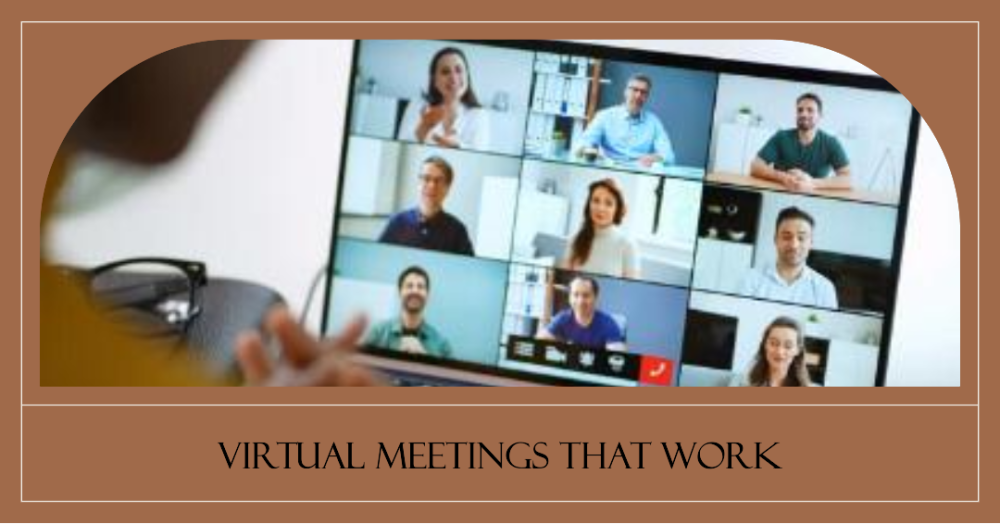
Setting up audio visual equipment is a crucial aspect of creating immersive and effective presentations, events, or entertainment experiences. Whether you’re preparing for a business presentation, a conference, a home theater setup, or any other AV application, a well-executed AV installation can make a significant difference. In this section, we’ll walk you through the essential steps to ensure that your audio visual equipment is correctly assembled and optimized for top-notch performance. From gathering the necessary gear to fine-tuning settings and conducting rehearsals, you’ll gain the knowledge and confidence to achieve a flawless AV setup for any occasion.
Gather Your Equipment
Begin by gathering all the necessary audio visual equipment for your setup. This may include projectors, screens, speakers, microphones, cables, adapters, and any other relevant accessories. Ensure that you have everything you need to create a complete and functional AV system.
Choose the Ideal Location
Select the most suitable location for your audio visual setup. Consider factors such as the size and layout of the room, the position of the audience, and the visibility of the screen or projected image. Additionally, make sure there is easy access to power outlets to connect your devices without any issues.
Connect Your Devices
Carefully connect all your AV equipment, following the manufacturer’s instructions for each component. Pay close attention to cable connections, ensuring that they are securely plugged in and properly organized to prevent tripping hazards and cable clutter. Double-check that each device is connected to the appropriate input/output ports.
Test Your Setup
Before your presentation or event, it’s crucial to thoroughly test your AV setup. This step involves checking the functionality of each device. Test the image quality of projectors or screens, the clarity of sound from speakers and microphones, and any interactive features that may be part of your setup. Identifying and addressing any issues at this stage is essential to avoid disruptions during your event.
Adjust Settings
Fine-tune the settings of your audio visual equipment to optimize the audio and visual quality. Adjust parameters such as brightness, contrast, volume levels, and screen resolution as needed. These adjustments may vary depending on the specific devices you’re using and the environment in which you’re setting up your AV equipment.
Consider Lighting and Sound
Take into account the lighting conditions of the room in which you’re setting up your AV equipment. Ensure that the lighting is suitable for your presentation, as excessive glare or inadequate lighting can affect the visual experience. Additionally, pay close attention to sound quality. Make sure that audio is clear and audible to all attendees by testing microphones and speakers for optimal performance.
Run a Rehearsal
Before the actual presentation or event, conduct a thorough rehearsal with your AV equipment in place. This rehearsal serves as a final check to identify and resolve any last-minute issues. It’s an opportunity to ensure that all components of your audio visual setup are working as expected, and it helps you become familiar with the equipment’s operation. Running a rehearsal increases your confidence in the reliability of your AV system and contributes to a smooth and successful event.
Troubleshooting Remote Work Video Conferencing
Are you struggling with audio-visual issues while working remotely? In today’s world of telecommuting, virtual meetings, and online collaboration, effective communication is crucial. To ensure that your remote work setup is up to par, we’ll address seven common challenges faced when setting up audio-visual equipment for video conferencing.
Compatibility Issues with Audio Visual Equipment for Remote Work
Ensuring seamless compatibility is the first hurdle in your home office setup. To avoid headaches, carefully research and select audio visual tools that integrate effortlessly with your existing computer, webcam, microphone, and other remote collaboration tools.
Audio and Video Lag in Virtual Meetings
Lag in virtual meetings can be frustrating and counterproductive. Inadequate remote communication hardware may be the culprit. Invest in high-quality video conferencing gear with advanced capabilities to eliminate lag.
Poor Audio Quality
Crackling or distorted audio can hinder communication. Choose top-notch audio solutions, including microphones and speakers, to enhance the sound quality during virtual meetings.
Inadequate Bandwidth
Insufficient internet speed can result in blurry video and audio dropouts. Consider upgrading your internet plan or optimizing your network to ensure a smooth video conferencing experience.
Lighting and Background Issues
A cluttered or poorly lit background can distract meeting attendees. Invest in appropriate lighting and create a professional backdrop to maintain a polished appearance during video conferences.
Soundproofing Challenges
External noise can disrupt your meetings. Soundproofing your home office is a cost-effective solution to minimize background disturbances and enhance audio quality.
Camera Angle and Framing
A poorly positioned webcam can be unflattering or distracting. Experiment with different camera angles and framing to find the optimal setup that presents you in the best light during virtual meetings.
Screen Sharing Problems
Sharing your screen is essential for presentations and collaborations. Ensure you understand the screen sharing features of your chosen video conferencing software and troubleshoot any technical glitches that may arise.
Conclusion
The cornerstone of effective remote communication starts with selecting the best audio visual tools for remote work. From high-quality video conferencing gear to top-notch remote collaboration tools, these investments pay off exponentially. They not only facilitate online collaboration but also ensure that your virtual meetings run smoothly, enabling you to connect and collaborate seamlessly.
In a world where remote work is the new norm, it’s essential to optimize your home office AV setup. By embracing remote work audio solutions and telecommuting visual aids, you’re ensuring that your telework solutions are up to par. With the right audio visual equipment for virtual meetings, you’re ready to tackle the challenges of remote work, allowing you to focus on your tasks with minimal disruptions.
For small businesses, startups, educators, or anyone looking for cost-effective telecommuting audio gear, there are budget-friendly options available to suit your needs. Setting up your remote work video conferencing is easier than ever with a plethora of choices. From selecting the best webcam and microphone for remote work to implementing virtual presentation tips for remote work, the path to success is clear.
In conclusion, the world of remote work requires top-notch audio visual equipment to ensure efficient remote communication and optimal online collaboration. By investing wisely and adhering to best practices, you’ll be equipped with the tools necessary to excel in your remote work journey. Whether you’re enhancing your home office or setting up a remote work environment for your business, the right audio visual equipment for remote work is your key to success.
FAQs
What are the essential audio visual tools for remote work?
The essential audio visual tools for remote work include a reliable webcam, a good quality microphone, headphones, and lighting equipment. These tools ensure clear video and audio during virtual meetings and help you communicate effectively with colleagues.
How can I improve the quality of my remote work video conferences?
To improve the quality of your remote work video conferences, ensure a stable internet connection, use a high-resolution webcam, optimize your lighting, and invest in a good microphone. Minimize background noise and maintain a professional background to enhance the overall experience.
Are there budget-friendly options for remote work audio visual equipment?
Yes, budget-friendly options exist for remote work audio visual equipment. You can find affordable webcams, microphones, and lighting solutions that provide decent quality. Look for well-reviewed products within your budget to get the best value for your money.
What is the best webcam for remote work?
The Logitech C920 and Logitech C922 are popular webcams for remote work due to their high-quality video and reasonable prices. However, the best webcam may vary based on your specific needs and budget.
How can I troubleshoot audio issues during virtual meetings?
To troubleshoot audio issues during virtual meetings, check your microphone and speaker settings, ensure they are connected properly, and test them before the meeting. Adjust your microphone sensitivity and close any background applications that could cause interference.
What remote work AV solutions work for small businesses?
Small businesses can use cost-effective solutions like Zoom, Microsoft Teams, or Google Meet for video conferencing. They can also benefit from budget-friendly audio visual equipment, such as webcams and microphones, to support remote work.
What accessories can enhance my home office audio visual setup?
Accessories like a good-quality headset, ring light, and a microphone stand can enhance your home office audio visual setup. These accessories improve audio quality, lighting, and comfort during remote work.
Are there specific tools for remote work educators?
Yes, remote work educators can use tools like Zoom for virtual classes, Google Workspace for collaboration, and platforms like Edmodo or Moodle for managing online courses. These tools facilitate effective teaching in a remote environment.
How do I set up video conferencing for remote work?
To set up video conferencing for remote work, choose a reliable platform (e.g., Zoom, Microsoft Teams), ensure you have a webcam and microphone, schedule meetings, and share meeting links with participants. Test your setup in advance to avoid technical issues.
What is the role of soundproofing in remote work?
Soundproofing is crucial for remote work to reduce background noise and maintain a professional environment. Acoustic panels, noise-canceling curtains, and wall insulation can help create a quieter workspace.
How can I optimize my remote work audio visual experience?
Optimize your remote work audio visual experience by using quality equipment, controlling lighting, reducing background noise, and ensuring a stable internet connection. Regularly update your software and hardware to maximize performance.
What are the latest trends in remote work technology?
The latest trends in remote work technology include the adoption of virtual reality (VR) for immersive remote collaboration, AI-driven virtual assistants, and increased use of 5G networks for faster connectivity.
How do I choose the right microphone for telecommuting?
When choosing a microphone for telecommuting, consider factors like microphone type (USB or XLR), your environment, and intended use. USB microphones are user-friendly, while XLR microphones offer higher quality but require additional equipment.
What are the best practices for virtual presentations in remote work?
Best practices for virtual presentations include clear communication, engaging visuals, interactivity, and practicing beforehand. Use screen-sharing, maintain eye contact with the camera, and ensure a distraction-free environment.
How can I ensure effective communication while working from home?
To ensure effective communication while working from home, establish clear communication channels, use video conferencing, set regular check-ins, and be responsive to emails and messages. Maintain transparency and over-communicate to bridge the remote gap.



 Cables
 Cable Sleeves
 Content Cameras
 AV Cabinets
 AV Connectivity
 Multimedia Carts & Stands
 Shelf Brackets
 AV Equipment Shelves
 CPU Holders
 Holders
 Laptop Stands
 Monitor Mounts & Stands
 Monitor Mount Accessories
 Mounting Kits
 Projector Mounts
 Projector Mount Accessories
 Speaker Mounts
 Tablet Security Enclosures
 TV Mount Accessories
 BYOD All-In-One-Bars
 BYOD Cameras
 BYOD Conference Kits
 Collaboration Displays
 Interactive Displays
 Non-Interactive Displays
 Signage Displays
 Signage Display Mounts
 Signage Display Mount Accessories
 Huddle Space
 Small Room
 Medium Room
 Large Room
 Boardroom
 Teams Huddle Room
 Teams Small Room
 Teams Medium Room
 Teams Large Room
 Teams Scheduling Display
 Teams Accessories
 Acer Projectors
 Benq Projectors
 Epson Projectors
 NEC Projectors
 Optoma Projectors
 Panasonic Projectors
 Sony Projectors
 Viewsonic Projectors
 Vivitek Projectors
 Video phones
 Voice Gateways
 White IP Phones
 WiFi Handsets
 Airtame Wireless Presentation
 Barco Clickshare
 BenQ Instashow
 Poly Pano
 Conference Kits
 Headsets
 Webcams
 Zoom Huddle Room
 Zoom Small Room
 Zoom Medium Room
 Zoom Large Room