


In the modern era of remote work and digital collaboration, the search for the perfect software to facilitate effective teamwork is more critical than ever. In a world where distributed teams have become the norm, finding the right tool for your needs is essential. This article aims to provide a comprehensive guide to help you choose the ideal remote collaboration software for your team’s unique requirements.
Our analysis covers various aspects of remote collaboration software, from communication tools designed for remote work to real-time collaboration solutions. To choose the best remote collaboration software, consider factors like team size, communication needs, budget, and features, and evaluate options like Slack, Microsoft Teams, or Zoom, based on your specific requirements. The prevalence of cloud-based platforms and their integration into remote project management and secure team communication tools makes them essential in today’s working environment. Additionally, productivity apps designed for remote work have become invaluable resources for enhancing efficiency.
We also delve into video conferencing software, distributed team collaboration solutions, and enterprise-level remote collaboration options. Different industries often have specific needs, and the article explores creative industry collaboration software to help creative teams make the right choice.
To keep you up-to-date with the rapidly evolving landscape of remote work, this guide provides insights into the latest trends and updates in remote work technology. Whether you’re a startup, a large enterprise, or a creative agency, this comprehensive comparison of remote collaboration software options will ensure you make an informed decision that best serves your team.
Best Remote Collaboration Tools for Small Teams
In today’s fast-paced business landscape, remote work has become the new normal. Small teams need the right tools to collaborate efficiently, regardless of their physical location. This section will walk you through the top remote collaboration tools, helping you make an informed choice.
Slack
Slack stands as one of the most popular choices for small teams venturing into remote work. Its widespread adoption is largely attributable to its user-friendly interface and an array of robust features tailored for team communication and collaboration. Slack enables real-time messaging, quick file sharing, and integration with various productivity apps, making it an excellent choice for small teams aiming to streamline their remote work processes.
Microsoft Teams
Microsoft Teams is a cloud-based collaboration platform that excels in remote project management. It offers a holistic solution for small teams, integrating seamlessly with other Microsoft 365 apps. This integration ensures a comprehensive and efficient workspace, which encompasses everything from team chat to file sharing and project tracking. For small teams already embedded in the Microsoft ecosystem, Teams is often the logical choice.
Trello
Trello brings a unique approach to remote collaboration with its Kanban-style project management tool. It excels in visualizing tasks, project progress, and workflows, making it an ideal choice for small teams. The intuitive drag-and-drop interface allows team members to organize and prioritize tasks effortlessly. Trello’s simplicity and user-friendliness are key attributes that can significantly boost small teams’ remote work efficiency.
Asana
Asana is a versatile tool that specializes in streamlining project management. It offers a feature-rich platform for small teams to assign tasks, track progress, and prioritize work effectively. The tool’s flexibility and robust features make it a compelling option for small teams seeking a comprehensive project management solution for remote work.
Zoom
When it comes to video conferencing, Zoom is the go-to choice for many small teams. It offers high-quality video and audio, making it an ideal platform for virtual team collaboration. With features like screen sharing and recording, Zoom enhances the remote meeting experience, ensuring that small teams can interact and collaborate as if they were in the same room.
Monday.com
Monday.com serves as a flexible work operating system, designed to empower teams of all sizes to manage projects and workflows confidently. Small teams can benefit from its versatile project tracking and management features, ensuring that every aspect of remote collaboration is well-organized and efficient.
Miro
Miro is a visual collaboration platform specially crafted for cross-functional teams. It offers a space for brainstorming, planning, and visual collaboration, making it particularly attractive to creative industries. With its interactive whiteboard, templates, and tools for visual thinking, Miro promotes innovation and creativity within small teams working remotely.
User-Friendly Remote Work App
In the age of remote work, having the right tools at your disposal is crucial. A user-friendly remote work app can make a world of difference in enhancing your team’s productivity and collaboration. In this section, we’ll delve into the seven key benefits of such an app
Seamless Remote Collaboration
A user-friendly remote work app simplifies collaboration among remote teams. It enables smooth, real-time communication, shared document management, and project tracking, bridging geographical gaps.
Enhanced Productivity
Enhancing productivity is central to remote work apps. These apps come equipped with features to streamline workflows. Whether it’s through cloud-based collaboration platforms or remote project management software, a user-friendly app helps keep your team organized and efficient.
Efficient Team Communication
Effective communication is vital for remote teams. User-friendly remote work apps incorporate video conferencing, messaging, and shared calendars to keep team members connected.
Enhanced Security Measures
Security is paramount in remote work. User-friendly apps ensure data protection through robust security features. These tools allow your team to collaborate with confidence, knowing sensitive information is secure.
Flexibility for Creative Industries
Creative industries often require specialized collaboration tools. User-friendly apps are adaptable, catering to graphic designers, writers, and artists with industry-specific features.
Data Analysis and Trends
Keeping up with remote work technology trends is crucial. A user-friendly remote work app can provide insights into data analysis, helping you make informed decisions about your remote work technology stack.
Cost-Effective Solutions
Cost-effectiveness is essential for businesses of all sizes. User-friendly remote work apps offer pricing options that let you choose the right collaboration tool for your budget.
Secure Virtual Team Collaboration Platforms
In today’s digital landscape, remote collaboration software has become an indispensable tool for businesses and organizations looking to enhance productivity and communication among their teams. As remote work continues to be a prevalent trend, it’s crucial to consider the security features of virtual team collaboration platforms. Here, we’ll explore seven essential security features to keep in mind when evaluating these tools.
End-to-End Encryption
One of the primary concerns in remote collaboration is data security. End-to-end encryption ensures that the data shared within the platform is scrambled and can only be decrypted by the intended recipient. This feature safeguards sensitive information, making it a top consideration for businesses seeking a secure virtual team collaboration platform.
Multi-Factor Authentication (MFA)
MFA adds an extra layer of security by requiring users to provide two or more forms of verification before accessing the platform. This prevents unauthorized access, enhancing the overall security of remote collaboration software.
Role-Based Access Control
Effective collaboration software should allow administrators to set different levels of access for team members based on their roles and responsibilities. This feature ensures that sensitive data is only accessible to those who need it, reducing the risk of data breaches.
Regular Security Audits and Updates
To maintain robust security, virtual team collaboration platforms should undergo routine security audits and updates. These assessments help identify and address vulnerabilities promptly, keeping the software resilient against potential threats.
Secure File Storage
Remote collaboration platforms should offer secure file storage options with version control and data backup. Secure cloud-based collaboration platforms protect data from loss, theft, or corruption while ensuring easy access and retrieval for authorized users.
Integration with Antivirus and Malware Protection
Integrating antivirus and malware protection into the collaboration platform adds an extra layer of defense against cyber threats. It scans files and messages for potential risks, preventing the distribution of harmful content among team members.
Activity Monitoring and Reporting
A robust security feature, activity monitoring, tracks user actions within the collaboration platform. It provides insights into who accessed specific documents or data, aiding in the detection of unauthorized activity and potential security breaches.
Real-Time Remote Project Management Tools
In the era of remote work and distributed teams, effective project management is crucial. Remote collaboration software comparison is essential to ensure your team can seamlessly work together, no matter where they are. We’ve analyzed various solutions to provide you with a comprehensive list of seven real-time remote project management tools that meet the highest standards of quality and performance.
Wrike
Wrike is a comprehensive project management and collaboration platform known for its versatility. It is designed to cater to a wide range of remote project management needs. The tool’s core features include task management, real-time collaboration, and interactive Gantt charts. With Wrike, you can create tasks, assign them to team members, set deadlines, and monitor progress in real time. Its user-friendly interface simplifies task organization and prioritization.
Smartsheet
Smartsheet is an innovative platform that combines the familiarity of spreadsheets with robust project management tools. Its notable features include project progress tracking, automated workflows, and collaborative capabilities. Smartsheet makes it easy to track project progress using visual tools such as Gantt charts and Kanban boards, allowing team members to update their tasks while managers oversee the project’s status. Automated workflows help streamline repetitive tasks and processes, improving productivity and reducing manual work.
ProofHub
ProofHub is an all-in-one project management and team collaboration software that offers a comprehensive set of features. It includes task management, discussions, time tracking, file sharing, and announcements, making it a versatile choice for small to mid-sized businesses. The platform simplifies remote project management by providing a centralized hub where teams can collaborate efficiently and manage their work with ease.
Teamwork
Teamwork is a project management software that offers a range of features, including task management, time tracking, and client collaboration. It’s a valuable tool for agencies and creative teams. With Teamwork, teams can create and assign tasks, track time spent on projects, and collaborate with clients. It helps streamline project management processes, enhancing team efficiency and client communication.
Paymo
Paymo is a multi-functional tool that combines project management, time tracking, and invoicing into a single platform. It’s particularly well-suited for freelancers and small businesses. Paymo simplifies the entire workflow, from project initiation to billing clients. Freelancers can track their time, create invoices, and manage their projects without the need for multiple disjointed tools.
ClickMeeting
ClickMeeting is a lesser-known gem in the world of video conferencing and webinars. It’s a versatile platform that’s perfect for businesses looking to host virtual events and webinars. With features like screen sharing, interactive whiteboards, and surveys, it offers a comprehensive solution for virtual events and webinars. The real-time interaction tools make it ideal for engaging with remote audiences effectively.
Zenkit
Zenkit is a flexible platform that serves as a project management, collaboration, and data organization tool. Its extensive feature set includes task management, databases, calendars, and mind maps, catering to various project management needs. Zenkit is a useful choice for teams and individuals who require a customizable workspace to organize data and collaborate efficiently.
Remote Work Software for Creative Teams
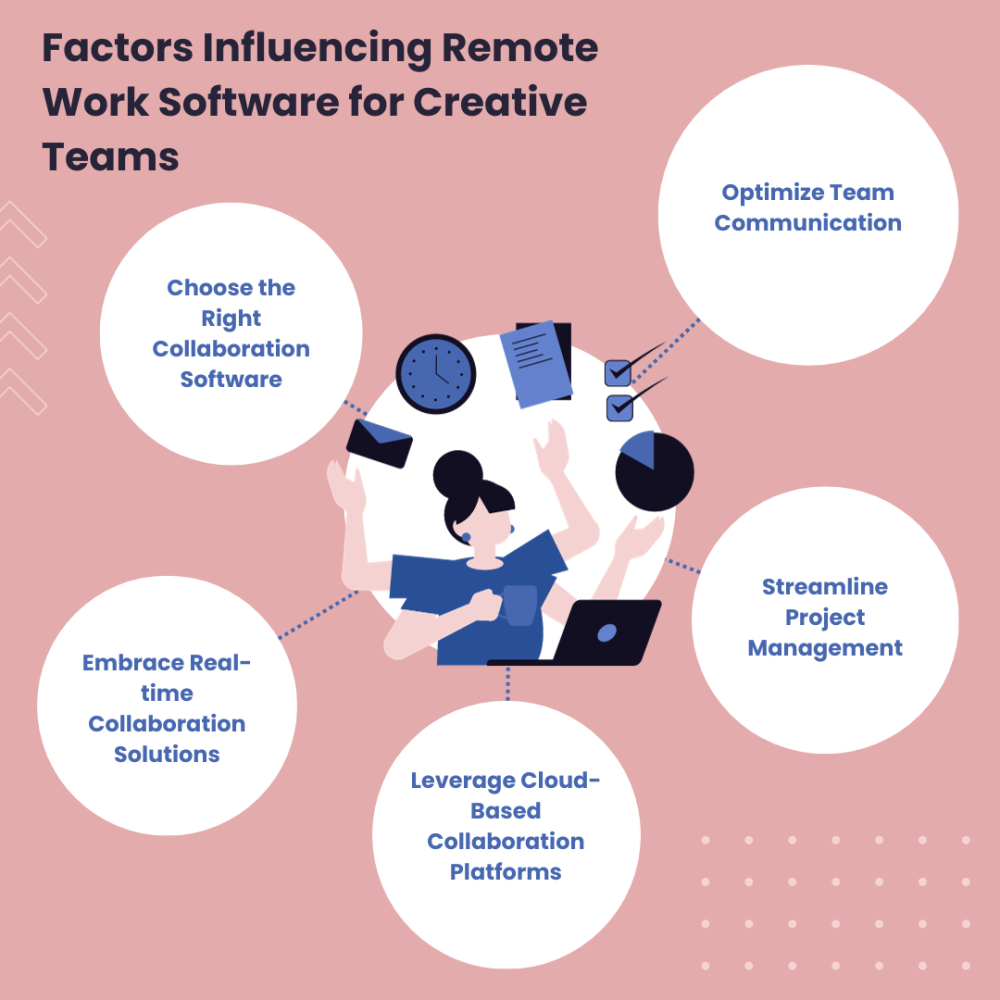
In the ever-evolving landscape of remote work, creative teams are harnessing the power of technology to stay connected and productive. To ensure a seamless creative flow within your remote team, you need the right tools and strategies. Here are seven tips for success in the realm of remote collaboration software, providing value immediately and addressing your creative team’s needs.
Choose the Right Collaboration Software
The cornerstone of productive remote collaboration is selecting the best remote collaboration software. A Remote Collaboration Software Comparison is vital to identify the right solution for your creative team. Consider factors like real-time collaboration solutions, cloud-based collaboration platforms, and secure remote team tools. Assess their features and pricing to make an informed decision.
Optimize Team Communication
Efficient communication is paramount for creative teams working remotely. Explore Team Communication Tools for Remote Work to facilitate real-time communication. Implement tools that enable instant messaging, file sharing, and video conferencing, ensuring a seamless flow of ideas and feedback.
Embrace Real-time Collaboration Solutions
Remote collaboration thrives on real-time interactions. Utilize Real-time Collaboration Apps that allow team members to collaborate on creative projects simultaneously. These apps promote instant feedback, brainstorming, and project progress tracking, enhancing creative flow.
Leverage Cloud-Based Collaboration Platforms
The cloud is a game-changer for remote teams. Cloud-Based Collaboration Software enables access to files and projects from anywhere, fostering a collaborative environment. It also ensures data security and easy sharing of assets among team members.
Streamline Project Management
Managing creative projects in remote teams demands a robust approach. Remote Project Management Software offers features like task tracking, project timelines, and performance analytics. It enhances project efficiency, keeping your creative flow on track.
Ensure Security and Productivity
Security and productivity go hand in hand. Secure Remote Team Tools offer data encryption, access control, and secure file sharing. Alongside this, Productivity Apps for Remote Work provide time tracking and task management features to boost your team’s output.
Stay Updated with Remote Work Technology Trends
Remote work is continuously evolving. To remain at the forefront, stay updated with Remote Work Technology Trends and Updates. Incorporate the latest tools and features that cater to your creative industry. Explore options for virtual events, remote marketing teams, and startups, as well as mobile-friendly collaboration platforms to suit your team’s specific needs.
Conclusion
In the fast-paced world of remote work, the demand for efficient and effective collaboration tools is on the rise. Finding the right remote collaboration software can be a game-changer for businesses looking to streamline their operations. In this remote collaboration software comparison, we’ll dive deep into the landscape of team communication tools for remote work, exploring the key features and benefits they offer to help you make an informed decision.
When it comes to real-time collaboration solutions, cloud-based collaboration platforms have emerged as the go-to choice for many organizations. These platforms offer the flexibility and scalability required for remote project management software. Security is paramount in today’s digital landscape, and secure remote team tools are crucial for safeguarding sensitive information. Our analysis also covers productivity apps for remote work, ensuring that you have the right tools at your disposal.
Video conferencing software review is a key aspect of our comparison, as effective communication is the backbone of any remote team. With the rise of distributed team collaboration solutions, finding the right enterprise-level remote collaboration software has become even more critical. For creative industries, collaboration software tailored to their unique needs can make all the difference.
Stay tuned as we explore the dynamic landscape of remote work technology trends and updates, offering insights on how to choose the best remote collaboration software, the benefits of remote team collaboration, and tips for successful remote project management. We’ll also discuss the security features in remote collaboration tools, the pros and cons of cloud-based collaboration, and best practices for using collaboration software remotely. Whether you’re a small startup, a large enterprise, or a freelancer, our comprehensive analysis will help you find the perfect fit for your remote collaboration needs.
FAQs
How do I choose the best remote collaboration software?
To choose the best remote collaboration software, consider factors like team size, communication needs, budget, and features. Evaluate options like Slack, Microsoft Teams, or Zoom, based on your specific requirements.
What are the benefits of remote team collaboration?
Remote team collaboration offers flexibility, access to a global talent pool, cost savings, and increased productivity. It also promotes work-life balance and reduces the need for physical office space.
Can you provide tips for successful remote project management?
Successful remote project management involves setting clear goals, using project management software (e.g., Asana or Trello), maintaining open communication, and scheduling regular check-ins with team members.
What are the security features in remote collaboration tools?
Security features in remote collaboration tools include encryption, user authentication, access controls, data backup, and compliance with industry standards like GDPR or HIPAA.
How can I improve real-time communication in remote teams?
Improve real-time communication by using video conferencing tools, setting up chat channels, sharing updates regularly, and establishing clear communication protocols and expectations.
Which video conferencing software is the best for remote work?
Popular video conferencing software options for remote work include Zoom, Microsoft Teams, and Google Meet. The best choice depends on your organization’s specific needs.
What factors affect remote work software pricing?
Pricing for remote work software depends on factors like the number of users, features, and whether you opt for a monthly or annual subscription. Customization and support can also affect pricing.
How can I integrate remote collaboration tools effectively?
To integrate remote collaboration tools effectively, provide training for your team, establish clear workflows, ensure compatibility with existing software, and continuously assess and optimize your toolset.
What are the pros and cons of cloud-based collaboration software?
Pros of cloud-based collaboration software include accessibility, scalability, and automatic updates. Cons can include security concerns and reliance on internet connectivity.
What are the best practices for managing distributed teams?
Best practices for managing distributed teams include setting clear expectations, fostering trust, using collaboration tools, promoting regular communication, and considering time zone differences.
How can I use remote collaboration software for virtual events?
For virtual events, use collaboration tools to schedule and host webinars, engage the audience through chat and polls, and share resources and recordings afterward. Platforms like Zoom or Webex are popular choices.
What are the latest trends in remote work technology?
Recent trends in remote work technology include AI-driven productivity tools, augmented and virtual reality for remote collaboration, and the adoption of secure, cloud-based platforms.
How do I increase productivity in remote teams?
Increase productivity in remote teams by setting clear goals, providing the right tools, establishing routines, promoting work-life balance, and encouraging regular breaks and social interactions.
What collaboration solutions are best for the creative industry?
Creative industries can benefit from collaboration tools like Adobe Creative Cloud, Slack, and project management software such as Asana or Trello, tailored to their unique needs.


 Cables
 Cable Sleeves
 Content Cameras
 AV Cabinets
 AV Connectivity
 Multimedia Carts & Stands
 Shelf Brackets
 AV Equipment Shelves
 CPU Holders
 Holders
 Laptop Stands
 Monitor Mounts & Stands
 Monitor Mount Accessories
 Mounting Kits
 Projector Mounts
 Projector Mount Accessories
 Speaker Mounts
 Tablet Security Enclosures
 TV Mount Accessories
 BYOD All-In-One-Bars
 BYOD Cameras
 BYOD Conference Kits
 Collaboration Displays
 Interactive Displays
 Non-Interactive Displays
 Signage Displays
 Signage Display Mounts
 Signage Display Mount Accessories
 Huddle Space
 Small Room
 Medium Room
 Large Room
 Boardroom
 Teams Huddle Room
 Teams Small Room
 Teams Medium Room
 Teams Large Room
 Teams Scheduling Display
 Teams Accessories
 Acer Projectors
 Benq Projectors
 Epson Projectors
 NEC Projectors
 Optoma Projectors
 Panasonic Projectors
 Sony Projectors
 Viewsonic Projectors
 Vivitek Projectors
 Video phones
 Voice Gateways
 White IP Phones
 WiFi Handsets
 Airtame Wireless Presentation
 Barco Clickshare
 BenQ Instashow
 Poly Pano
 Conference Kits
 Headsets
 Webcams
 Zoom Huddle Room
 Zoom Small Room
 Zoom Medium Room
 Zoom Large Room