

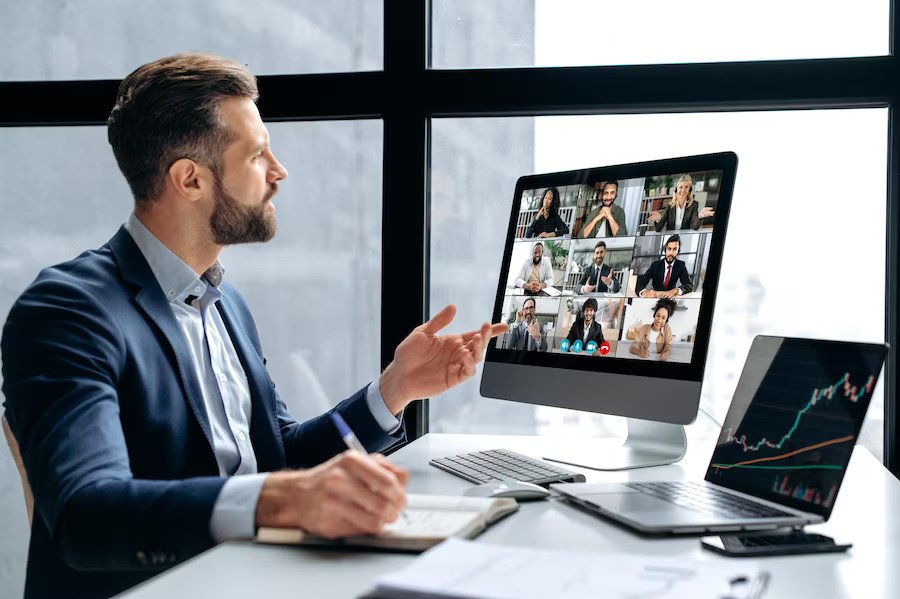

In the fast-paced landscape of remote work and virtual team communication, understanding video conferencing best practices has become paramount. Whether you’re a seasoned professional or new to the world of online meetings, optimizing your video conferencing experiences is essential for productive collaboration. In this comprehensive guide, we’ll delve into the most effective strategies and techniques for ensuring secure remote collaboration and enhancing the quality of your virtual meetings.
Best practices for video conferencing include choosing a quiet, well-lit space, using a reliable internet connection, testing your audio and video before meetings, muting your microphone when not speaking, dressing professionally, and maintaining eye contact with the camera. Remote work best practices have evolved, and video conferencing software has become the backbone of communication. When diving into the realm of video conferencing, it’s crucial to consider factors such as online meeting etiquette and collaboration tools that promote seamless interaction. Moreover, telecommuting strategies and virtual presentation techniques play a pivotal role in conveying your ideas effectively to a dispersed team.
To embark on this journey towards virtual communication excellence, you’ll need to master various aspects, such as screen-sharing solutions and meeting facilitation methods. Additionally, prioritizing video call security measures is essential to protect sensitive information and ensure the privacy of your discussions.
Throughout this guide, we’ll explore practical video conferencing tips, remote collaboration best practices, and virtual meeting etiquette, all aimed at maximizing productivity in your online meetings. Whether you use Zoom, Webex, Microsoft Teams, or Google Meet, we’ll provide you with tailored recommendations to enhance your video conferencing experience and avoid common mistakes. We’ll also discuss video conferencing technology and online meeting tools that can elevate your remote work setup. So, let’s dive in and discover the keys to successful video conferencing in the digital age.
Ensuring Secure Remote Collaboration
In the era of remote work and virtual team collaboration, video conferencing has become an integral part of our professional lives. While it offers countless benefits, it also brings along a set of security risks that demand vigilant attention. To ensure secure remote collaboration and adhere to video conferencing best practices, here are seven common security risks you should be aware of:
Lack of Video Call Security Measures
Video conferencing platforms should implement robust security measures to protect meetings. End-to-end encryption, strong authentication methods, and regular updates are essential components to safeguard against unauthorized access and data breaches.
Insufficient Video Conference Security
Certain video conferencing platforms may lack comprehensive security features, leaving meetings vulnerable to intruders. Prioritize platforms that prioritize security, such as Zoom, which offers encryption and password protection for meetings.
Inadequate User Authentication
Weak user authentication processes can lead to unauthorized participants gaining access to your virtual meetings. Employ multi-factor authentication (MFA) to ensure that only authorized individuals can join, enhancing the security of your video conferences.
Privacy Concerns with Recording
Recording virtual meetings for future reference is a common practice. However, mishandling recorded content can lead to privacy breaches. Establish clear guidelines for recording, storing, and sharing meeting recordings to protect sensitive information.
Vulnerability to Phishing Attacks
Phishing attacks targeting virtual team communication have become increasingly sophisticated. Educate your team about the risks of clicking on suspicious links or downloading attachments during video conferences to prevent potential data breaches.
Screen Sharing Risks
While screen sharing is a valuable collaboration tool, it can also expose sensitive information unintentionally. Train users to be cautious when sharing their screens and to double-check what is visible to other participants.
Meeting Facilitation Challenges
Inadequate meeting facilitation methods can lead to disorganized meetings and potential information leaks. Implement effective facilitation techniques to maintain control over the meeting environment and ensure that sensitive information remains confidential.
By addressing these common security risks associated with video conferencing, you can enhance the security of your remote collaboration efforts and maintain the integrity of your virtual meetings.
Maximising Productivity in Virtual Meetings
With these strategies and best practices, you can maximize productivity in virtual meetings and create a more efficient and engaging online collaboration environment. By following these guidelines and maintaining a focus on remote work best practices, you’ll ensure that your virtual meetings are not only productive but also conducive to positive team dynamics.
Incorporate Video Conferencing Best Practices
To maximize productivity in virtual meetings, it’s essential to follow video conferencing best practices. These guidelines are crucial for ensuring efficient and effective online communication.
Utilize Reliable Video Conferencing Software
Begin by selecting the right video conferencing software for your virtual meetings. Tools like Zoom, Webex, Microsoft Teams, and Google Meet offer various features to enhance your online meetings. Ensure that you choose a platform that suits your team’s needs and preferences.
Foster Virtual Team Communication
Effective virtual team communication is the cornerstone of productive online meetings. Encourage open dialogues, active listening, and regular updates. Emphasize the importance of clear and concise messaging.
Practice Online Meeting Etiquette
Maintain online meeting etiquette to create a professional and respectful environment. Set ground rules for punctuality, use of video, and muting during discussions. This ensures that meetings run smoothly and distractions are minimized.
Leverage Collaboration Tools
Enhance collaboration during virtual meetings by using various collaboration tools. Features like screen sharing, virtual whiteboards, and document sharing enable participants to work together seamlessly.
Implement Meeting Facilitation Methods
Applying effective meeting facilitation methods helps in keeping participants engaged and focused. Designate a facilitator to guide the meeting, set clear agendas, and allocate time for Q&A sessions.
Prioritize Video Call Security Measures
To protect sensitive information, implement video call security measures. Use password protection, in waiting rooms, and ensure that your chosen video conferencing platform follows the latest security standards.
Effective Screen-Sharing Techniques
In the rapidly evolving landscape of remote work and virtual team communication, mastering effective screen-sharing techniques is essential. Whether you are using Zoom, Webex, Microsoft Teams, Google Meet, or any other video conferencing software, optimizing your screen sharing can significantly enhance your online meetings. Here are seven proven strategies to help you make the most out of your virtual collaborations:
Choose the Right Video Conferencing Software
Before delving into screen sharing techniques, it’s crucial to select the appropriate video conferencing software that aligns with your organization’s needs. Consider factors like security features, ease of use, and compatibility with your team’s preferences. Ensure your chosen platform supports seamless screen-sharing capabilities for a hassle-free experience.
Master Screen Sharing Solutions
Effective screen sharing starts with a clear understanding of the tools available within your video conferencing software. Familiarize yourself with features like annotation tools, drawing capabilities, and pointer options. These functionalities can enhance your presentations and keep your audience engaged.
Optimize Audio and Video Quality
To maintain a productive virtual meeting, focus on optimizing audio and video quality. Ensure your microphone and camera are of high quality and that your internet connection is stable. Clear video communication enhances engagement and minimizes disruptions.
Follow Online Meeting Etiquette
Maintaining professionalism during virtual meetings is vital. Adhere to online meeting etiquette by muting your microphone when not speaking, avoiding distractions, and dressing appropriately. This sets a positive tone and ensures effective communication.
Utilize Collaboration Tools
Incorporate collaboration tools within your video conferencing software to facilitate real-time interaction. Features like chat, file sharing, and whiteboards enable seamless teamwork during screen sharing sessions.
Ensure Video Call Security Measures
Security is paramount in virtual meetings. Implement video call security measures to protect sensitive information. Use password protection, waiting rooms, and encryption features provided by your chosen platform to keep your meetings secure.
Enhance Meeting Facilitation Methods
Become a skilled meeting facilitator by using screen sharing effectively. Plan your content in advance, share relevant documents, and use visuals to convey your message clearly. Engage your audience through interactive elements and encourage questions and discussions.
Virtual Team Building Activities
In the age of remote work and virtual team communication, fostering strong connections among team members is paramount. One effective way to achieve this is through virtual team-building activities. These activities not only enhance teamwork but also contribute to an overall productive and positive work environment. In this section, we will explore seven virtual team building activities that leverage video conferencing best practices.
Virtual Scavenger Hunt
Kick off your virtual team-building session with an engaging virtual scavenger hunt. This activity encourages team members to find specific items within their homes and share them over video calls. It promotes creativity, teamwork, and a fun atmosphere, making it an ideal icebreaker for remote teams.
Online Trivia Quiz
Host an online trivia quiz using video conferencing software. Create questions related to your industry or team’s interests to challenge and entertain your team members. This activity not only stimulates the mind but also fosters healthy competition and knowledge-sharing among team members.
Virtual Show-and-Tell
Encourage team members to showcase their hobbies, talents, or interesting possessions during a virtual show-and-tell session. This activity allows team members to connect on a personal level, learn more about each other, and find common interests.
Remote Work Pictionary
Put a virtual twist on the classic game of Pictionary. Use screen-sharing solutions to draw and guess words or phrases related to remote work, collaboration tools, and video conferencing software. It’s a creative way to enhance communication and teamwork skills.
Team Building Challenges
Implement team building challenges that require collaboration and problem-solving. For example, you can assign tasks like building a virtual bridge or solving riddles together. These activities promote teamwork, critical thinking, and creativity.
Themed Virtual Meetings
Occasionally, spice up your regular virtual meetings with themed sessions. Choose a theme, such as “Favorite Vacation Spots” or “Dream Home Office,” and encourage team members to dress up or decorate their backgrounds accordingly. This adds a touch of fun and helps team members bond over shared interests.
Virtual Escape Room
Explore virtual escape rooms designed specifically for team building. These games require teamwork and critical thinking to solve puzzles and “escape” within a set time frame. It’s an excellent way to enhance problem-solving skills and teamwork.
Choosing the Right Video Conferencing Software
In the era of remote work and virtual team communication, selecting the ideal video conferencing software has become paramount. To make an informed decision, consider these seven essential factors that align with video conferencing best practices:
Meeting Quality and Reliability
Meeting quality and reliability are paramount when selecting video conferencing software. Ensure the software offers clear video communication, audio optimization, and stable connections to prevent disruptions during online meetings.
Security Measures
Prioritize video call security to protect sensitive information. Choose software with robust security features like end-to-end encryption and multi-factor authentication, following video conferencing security tips for secure virtual discussions.
User-Friendly Interface
Opt for software with an intuitive interface to facilitate smooth virtual meetings. A user-friendly platform reduces technical difficulties and enhances virtual meeting etiquette.
Integration with Collaboration Tools
Enhance remote collaboration by selecting software that seamlessly integrates with collaboration tools like Microsoft Teams, Google Meet, and Webex. This integration streamlines workflow and communication.
Customization and Features
Select software that offers customization and a range of features such as screen sharing solutions, virtual presentation techniques, and meeting facilitation methods. Tailoring the software to your needs boosts virtual meeting productivity.
Scalability and Pricing
Consider scalability to accommodate your organization’s growth. Evaluate pricing structures and seek platforms with free trials or demos to ensure they align with your budget.
User Support and Training
Assess the availability of user support and training resources. Adequate support ensures prompt issue resolution, while resources like tutorials and customer service contribute to effective remote work communication tools.
Choosing the right video conferencing software is a critical decision impacting remote work, virtual team building, and online meeting etiquette. These factors will guide your selection and help you make an informed choice that aligns with video conferencing best practices.
Conclusion
In the fast-evolving landscape of remote work and virtual team communication, mastering video conferencing best practices has become paramount. Video conferencing software has revolutionized the way we collaborate and communicate, making it essential to understand how to maximize its potential while adhering to online meeting etiquette. Effective online meetings can significantly enhance productivity and engagement among virtual teams, fostering a sense of unity despite physical distance.
To ensure clear and productive video conferences, start with the basics. When setting up virtual meetings, prioritize video conferencing technology that aligns with your specific needs. Platforms like Zoom, Webex, Microsoft Teams, and Google Meet offer a range of features, but selecting the right one is key. Assessing audio quality and optimizing it is crucial, as poor sound can hinder effective remote collaboration. Explore video conferencing tips and remote collaboration best practices to enhance the clarity of your message and reduce distractions.
Virtual meeting etiquette is just as important as technical proficiency. Understanding video call etiquette ensures that your interactions remain professional and respectful. From maintaining eye contact to avoiding common video conferencing mistakes, such as speaking over others, these subtleties can greatly impact the success of your online meetings. Additionally, incorporating virtual team-building activities can help foster a sense of camaraderie among your remote team members, improving overall collaboration.
As remote work becomes increasingly prevalent, it’s essential to stay updated with the latest video conferencing best practices, online meeting tools, and security measures. By following these guidelines and continuously refining your virtual presentation skills, you can ensure that your video conferencing experiences are not only efficient but also enjoyable, ultimately leading to a more productive and cohesive virtual team environment.
FAQs
What are the best practices for video conferencing?
Best practices for video conferencing include:
- Choose a quiet, well-lit space.
- Use a reliable internet connection.
- Test your audio and video before meetings.
- Mute your microphone when not speaking.
- Dress professionally.
- Maintain eye contact with the camera.
- Avoid distracting backgrounds.
- Be punctual.
- Follow meeting agendas.
- Encourage active participation.
How can I improve the quality of my virtual meetings?
To improve virtual meetings:
- Invest in quality hardware.
- Use a wired internet connection.
- Ensure good lighting and framing.
- Encourage engagement and participation.
- Share clear, concise content.
- Record meetings for reference.
- Minimize background noise.
- Opt for a reliable video conferencing platform.
- Use collaborative tools.
- Seek feedback for continuous improvement.
What are the common mistakes to avoid in video calls?
Common mistakes in video calls include:
- Poor internet connectivity.
- Not muting background noise.
- Ignoring camera etiquette.
- Overloading with information.
- Lack of preparation.
- Multitasking during calls.
- Not engaging participants.
- Running over scheduled time.
- Inadequate security measures.
- Neglecting follow-ups.
Which video conferencing software is the most secure?
Several secure video conferencing options exist, including Zoom, Microsoft Teams, and Cisco Webex. The choice depends on your specific security needs and organizational preferences. Ensure you use encryption, strong authentication, and keep software updated to enhance security.
What are the dos and don’ts of online presentations?
Dos:
- Prepare and rehearse thoroughly.
- Engage your audience.
- Use visuals effectively.
- Keep presentations concise.
- Encourage questions and interaction.
Don’ts:
- Read slides verbatim.
- Overload with information.
- Rush through content.
- Ignore technical issues.
- Disregard time constraints.
How can I optimize audio quality in video calls?
To optimize audio quality:
- Use a good-quality microphone.
- Reduce background noise.
- Speak clearly and at a moderate pace.
- Use headphones to prevent feedback.
- Adjust audio settings in your conferencing software.
What tools are recommended for remote team collaboration?
Recommended tools for remote collaboration include Slack, Microsoft Teams, Google Workspace, Trello, Asana, and Zoom. Choose tools that suit your team’s needs for communication, project management, and video conferencing.
How do I set up and manage virtual meetings effectively?
To set up and manage virtual meetings effectively:
- Define clear objectives.
- Select appropriate technology.
- Share agendas and materials in advance.
- Appoint a moderator.
- Encourage participation.
- Record meetings.
- Follow up with action items.
- Gather feedback for improvement.
What are the advantages of Microsoft Teams for video conferencing?
Microsoft Teams offers advantages such as seamless integration with other Microsoft apps, robust security features, collaborative tools like file sharing, and a user-friendly interface. It also supports large meetings and webinars.
What are some team-building activities for virtual teams?
Virtual team-building activities include virtual happy hours, online games, team challenges, and collaborative projects. These activities foster team bonding and morale even when working remotely.
How can I ensure the security of my video conferences?
Ensure video conference security by using reputable software, enabling meeting passwords, using waiting rooms, setting access controls, updating software, and educating participants on security practices.
What are the key features to look for in online meeting platforms?
Key features to look for in online meeting platforms include HD video quality, screen sharing, recording capabilities, chat, integration with other tools, mobile access, and strong security measures.
How do I troubleshoot video call issues?
To troubleshoot video call issues, check your internet connection, restart your device and software, test audio and video settings, update your software, and contact tech support if problems persist.
What are the best practices for remote work communication?
Best practices for remote work communication include setting clear expectations, using a variety of communication tools, scheduling regular check-ins, being responsive, and maintaining professionalism in written communication.
How can I measure the success of my online meetings?
You can measure the success of online meetings by gathering feedback from participants, tracking attendance and engagement, assessing meeting objectives’ achievement, and analyzing post-meeting actions and outcomes.


 Cables
 Cable Sleeves
 Content Cameras
 AV Cabinets
 AV Connectivity
 Multimedia Carts & Stands
 Shelf Brackets
 AV Equipment Shelves
 CPU Holders
 Holders
 Laptop Stands
 Monitor Mounts & Stands
 Monitor Mount Accessories
 Mounting Kits
 Projector Mounts
 Projector Mount Accessories
 Speaker Mounts
 Tablet Security Enclosures
 TV Mount Accessories
 BYOD All-In-One-Bars
 BYOD Cameras
 BYOD Conference Kits
 Collaboration Displays
 Interactive Displays
 Non-Interactive Displays
 Signage Displays
 Signage Display Mounts
 Signage Display Mount Accessories
 Huddle Space
 Small Room
 Medium Room
 Large Room
 Boardroom
 Teams Huddle Room
 Teams Small Room
 Teams Medium Room
 Teams Large Room
 Teams Scheduling Display
 Teams Accessories
 Acer Projectors
 Benq Projectors
 Epson Projectors
 NEC Projectors
 Optoma Projectors
 Panasonic Projectors
 Sony Projectors
 Viewsonic Projectors
 Vivitek Projectors
 Video phones
 Voice Gateways
 White IP Phones
 WiFi Handsets
 Airtame Wireless Presentation
 Barco Clickshare
 BenQ Instashow
 Poly Pano
 Conference Kits
 Headsets
 Webcams
 Zoom Huddle Room
 Zoom Small Room
 Zoom Medium Room
 Zoom Large Room
[…] Remote collaboration tools facilitate smooth and efficient teamwork, breaking down geographical barriers. With features like screen sharing, file sharing, and real-time chat, team members can collaborate as if they were in the same room, promoting productivity and creativity. […]
[…] of remote work. They provide the necessary processing power, memory, and storage for seamless remote collaboration. Modern laptops often come with built-in webcams and microphones, making them versatile tools for […]